
𝖦𝗅𝗈𝗆𝗆𝗒 𝖡𝖾𝖺𝗋 𝖬𝗈𝖻!!! 🧸ʕ•ﻌ•ʔ
Creator: M0ranguinho · 2026-07-09 · Mods · Free on Eaglercraft Studio
Download 𝖦𝗅𝗈𝗆𝗆𝗒 𝖡𝖾𝖺𝗋 𝖬𝗈𝖻!!! 🧸ʕ•ﻌ•ʔ — free Minecraft mod. Created by M0ranguinho. Tagged aesthetic, bear, cute, cutemob. Check the file details for Forge, Fabric, or NeoForge before installing.
Creator notes
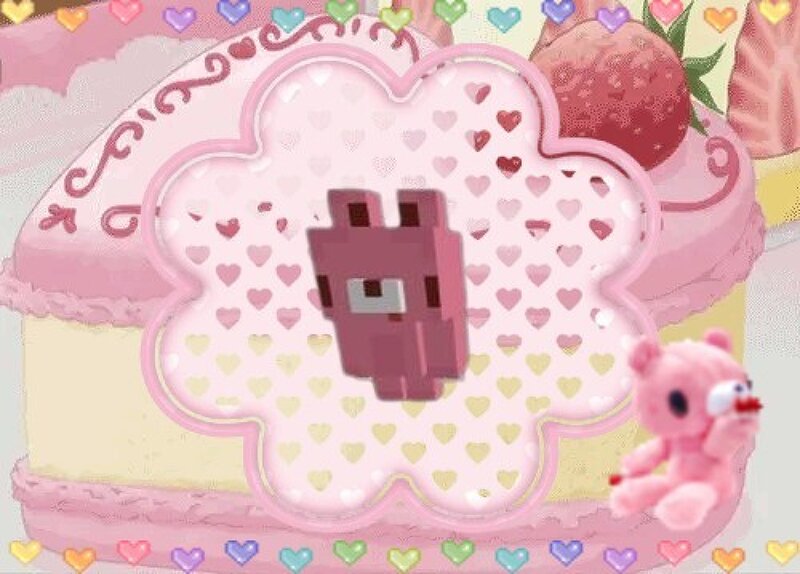
Gloomy Bear mob <3 Not yet tameable It walks around and takes damage I'll add more actions later
Added value
What’s included on this page
Preview, categories, compatibility, and tools on this page — not a bare file mirror.
- Creator
- M0ranguinho
- Source
- Minecraft downloads library on Eaglercraft Studio
- Type
- Minecraft mod
- Price
- Free download on Eaglercraft Studio
- Curation
- Listed with credit to M0ranguinho · studio preview & install guide
- Game Version
- Minecraft 1.20
- Compatible with
- Minecraft Java (match version / loader in facts)
- Tags
- Aesthetic, Bear, Cute, Cutemob, Gloomy, Gloomybear
Install guide
How to install this free Minecraft mod
Eaglercraft Studio listing with metadata, creator credit, and loader-aware install guidance.
- 1Download the jar/zip when available.
- 2Install the matching loader (Forge, Fabric, or NeoForge) for your Minecraft version.
- 3Drop the mod into your mods folder, then launch with that profile.
Wrong loader or game version usually crashes on startup — read the facts on this page first.
Related free mods
More curated mods from the same library section.

Pastelmooncrafting15 · 67 diamonds · 20 views

PotatoWolfie · 60 diamonds · 2 views

PotatoWolfie · 53 diamonds · 622 views

Janss_33PL · 47 diamonds · 940 views