
Adhkar
Creator: EnissayCula · 2026-05-06 · Mods · Free on Eaglercraft Studio
Download Adhkar — free Minecraft mod. Created by EnissayCula. Tagged other. Check the file details for Forge, Fabric, or NeoForge before installing.
Creator notes
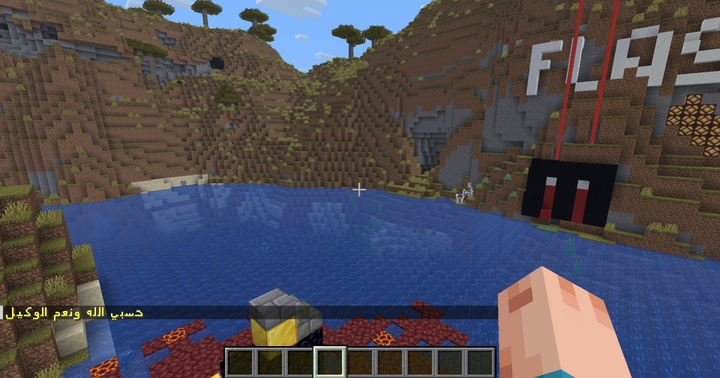
Adhkar Mod is a lightweight Minecraft mod that periodically sends Islamic remembrances (adhkar) to players in chat. It helps create a calm and mindful atmosphere by reminding players of simple daily dhikr such as *SubhanAllah*, *Alhamdulillah*, and more. 💡 For the best Arabic text appearance, it is recommended to use: Arabic Clean Font (32x) Features Automatic adhkar messages at configurable intervals Multi-language support (Arabic & English) Random selection of adhkar Fully customizable via JSON config file Per-player language preference Reload configuration without restarting the server or leaving the world Works in singleplayer worlds (no server required) Commands /adhkar → Send a random dhikr /adhkar help → Show help menu /adhkar reload → Reload config file /adhkar ar → Set Arabic /adhkar en → Set English Configuration The config file is automatically generated at: config/adhkar/adhkar.json You can: Add new adhkar: Open the config file and add a new entry inside "adhkar" : { "ar": "Subhan Allah", "en": "Glory be to Allah" } Make sure commas are placed correctly, then save the file and use /adhkar reload to apply changes without restarting. Edit text and translations Change the
Added value
What’s included on this page
Preview, categories, compatibility, and tools on this page — not a bare file mirror.
- Creator
- EnissayCula
- Source
- Minecraft downloads library on Eaglercraft Studio
- Type
- Minecraft mod
- Price
- Free download on Eaglercraft Studio
- Curation
- Listed with credit to EnissayCula · studio preview & install guide
- Game Version
- Minecraft 26.3 snapshot
- Compatible with
- Minecraft Java (match version / loader in facts)
- Tags
- Other
Install guide
How to install this free Minecraft mod
Eaglercraft Studio listing with metadata, creator credit, and loader-aware install guidance.
- 1Download the jar/zip when available.
- 2Install the matching loader (Forge, Fabric, or NeoForge) for your Minecraft version.
- 3Drop the mod into your mods folder, then launch with that profile.
Wrong loader or game version usually crashes on startup — read the facts on this page first.
Related free mods
More curated mods from the same library section.

Pastelmooncrafting15 · 67 diamonds · 20 views

PotatoWolfie · 60 diamonds · 2 views

PotatoWolfie · 53 diamonds · 622 views

Janss_33PL · 47 diamonds · 940 views