
Advanced Farming Add-on
Creator: TInfiniteMinds · 2026-01-22 · Mods · Free on Eaglercraft Studio
Download Advanced Farming Add-on — free Minecraft mod. Created by TInfiniteMinds. Tagged addon, mcpe, minecraftbedrock, other. Check the file details for Forge, Fabric, or NeoForge before installing.
Creator notes
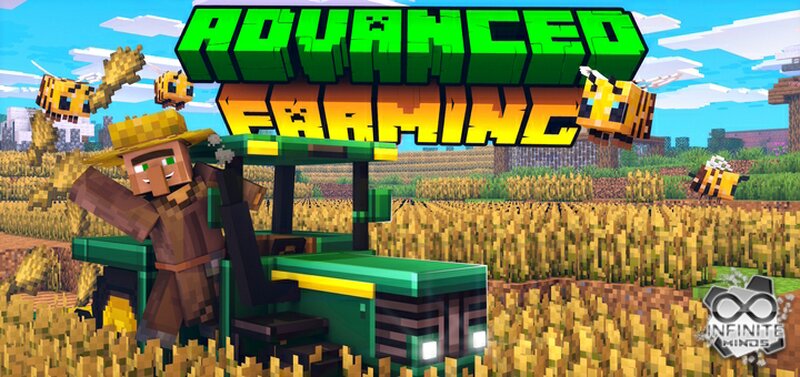
Do you think Minecraft’s current farming system is too basic, and that the game needs a Farming Update? This add-on brings several cool features to improve Minecraft farming. The coolest thing about this add-on is the tractor! It is very functional when used with its super functional tools for plowing, planting and harvesting. The tractor is complete with fueling and fuel consumption mechanics. This add-on also includes all the fuel-making mechanics for fuel the tractor, and you can get it both in survival and creative game modes. There are also some new food, including goat meat. The goat itself is the only animal in the add-on currently. This add-on took a while to complete, and will receive updates in the future! Including things like new animals. Tractor, the most useful feature! The tractor is the most useful feature for your farm. With this tractor you can plow, plant and harvest much more easily! To make a tractor, you will need a lot of iron. You better start mining if you want to have a tractor in your survival world! Below, we’ll see how to assemble a tractor from scratch!
Added value
What’s included on this page
Preview, categories, compatibility, and tools on this page — not a bare file mirror.
- Creator
- TInfiniteMinds
- Source
- Minecraft downloads library on Eaglercraft Studio
- Type
- Minecraft mod
- Price
- Free download on Eaglercraft Studio
- Curation
- Listed with credit to TInfiniteMinds · studio preview & install guide
- Game Version
- Minecraft 1.21.11
- Compatible with
- Minecraft Java (match version / loader in facts)
- Tags
- Addon, Mcpe, Minecraftbedrock, Other, Tim
Install guide
How to install this free Minecraft mod
Eaglercraft Studio listing with metadata, creator credit, and loader-aware install guidance.
- 1Download the jar/zip when available.
- 2Install the matching loader (Forge, Fabric, or NeoForge) for your Minecraft version.
- 3Drop the mod into your mods folder, then launch with that profile.
Wrong loader or game version usually crashes on startup — read the facts on this page first.
Related free mods
More curated mods from the same library section.

Pastelmooncrafting15 · 67 diamonds · 20 views

PotatoWolfie · 60 diamonds · 2 views

PotatoWolfie · 53 diamonds · 622 views

Janss_33PL · 47 diamonds · 940 views