
Ai companion
Creator: AICOMPANIONORPVPBOTS · 2026-07-02 · Mods · Free on Eaglercraft Studio
Download Ai companion — free Minecraft mod. Created by AICOMPANIONORPVPBOTS. Tagged companion, other. Check the file details for Forge, Fabric, or NeoForge before installing.
Creator notes
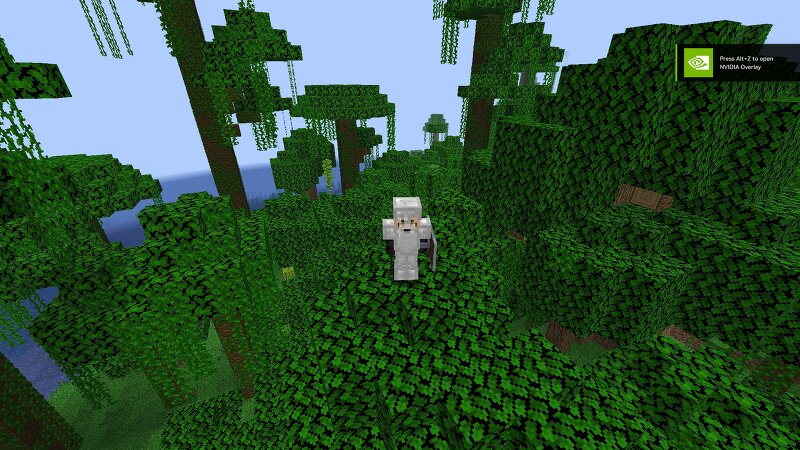
This mod introduces a fully interactive companion bot designed to enhance survival gameplay by adding a dynamic AI ally that can naturally spawn across nearly all biomes in the Minecraft world. Unlike traditional rare mobs or scripted companions, this bot is integrated into the environment in a way that makes encounters feel organic and unpredictable. Players can come across it while exploring forests, deserts, snowy tundras, caves, plains, and other diverse regions, giving the world a more alive and populated feeling. The bot is built to be approachable and useful from early game onward. It can be tamed using iron, which is intentionally chosen as a common resource to ensure players do not need to grind rare items or progress far into the game before forming a bond with it. Once tamed, the bot becomes loyal to the player and will consistently follow them through different terrains and dimensions if enabled. It is designed with adaptive AI behavior, meaning it can navigate terrain, avoid basic hazards, and stay close to the player during travel. In terms of functionality, the bot supports both exploration and combat assistance. During exploration, it acts as a companion that keeps
Added value
What’s included on this page
Preview, categories, compatibility, and tools on this page — not a bare file mirror.
- Creator
- AICOMPANIONORPVPBOTS
- Source
- Minecraft downloads library on Eaglercraft Studio
- Type
- Minecraft mod
- Price
- Free download on Eaglercraft Studio
- Curation
- Listed with credit to AICOMPANIONORPVPBOTS · studio preview & install guide
- Game Version
- Minecraft 1.21.8
- Compatible with
- Minecraft Java (match version / loader in facts)
- Tags
- Companion, Other
Install guide
How to install this free Minecraft mod
Eaglercraft Studio listing with metadata, creator credit, and loader-aware install guidance.
- 1Download the jar/zip when available.
- 2Install the matching loader (Forge, Fabric, or NeoForge) for your Minecraft version.
- 3Drop the mod into your mods folder, then launch with that profile.
Wrong loader or game version usually crashes on startup — read the facts on this page first.
Related free mods
More curated mods from the same library section.

Pastelmooncrafting15 · 67 diamonds · 20 views

PotatoWolfie · 60 diamonds · 2 views

PotatoWolfie · 53 diamonds · 622 views

Janss_33PL · 47 diamonds · 940 views