
Ancient Gems: Reforged
Creator: Raiunix · 2026-05-08 · Mods · Free on Eaglercraft Studio
Download Ancient Gems: Reforged — free Minecraft mod. Created by Raiunix. Tagged mobs, new content, ores, tools. Check the file details for Forge, Fabric, or NeoForge before installing.
Creator notes
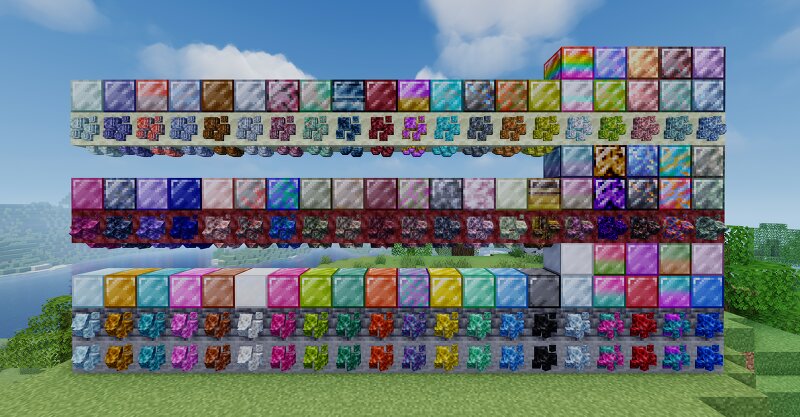
Ancient Gems Reforged expands the Minecraft universe by introducing various unique gems and minerals, scattered across all three dimensions, significantly enriching the mining experience. The mod doesn't just offer a new arsenal of tools, weapons, and armor; it redefines progression through advanced mechanics: increased harvest levels, a nerf to high-tier materials (diamond and netherite), and a durability system conditioned by the dimension you are in and the difficulty level you are playing on. With the threat of new enemies hidden within ores and chests, exploration becomes a much more challenging experience. ➤ Nerfed diamond and netherite to encourage mining (decreased durability) ➜ Tools and weapons crafted with diamond (vanilla) or netherite in all dimensions ↪ 97.5% less durability in hard (durability/40) - 95% less durability in normal (durability/20) - 90% less durability in easy or peaceful (durability/10) ➜ Armors crafted with diamond (vanilla) or netherite in all dimensions ↪ 95% less durability in hard (durability/20) - 90% less durability in normal (durability/10) - 80% less durability in easy or peaceful (durability/5) ➤ Replaced vanilla ores (netherite, diamond, eme
Added value
What’s included on this page
Preview, categories, compatibility, and tools on this page — not a bare file mirror.
- Creator
- Raiunix
- Source
- Minecraft downloads library on Eaglercraft Studio
- Type
- Minecraft mod
- Price
- Free download on Eaglercraft Studio
- Curation
- Listed with credit to Raiunix · studio preview & install guide
- Game Version
- Minecraft 26.1.2
- Compatible with
- Minecraft Java (match version / loader in facts)
- Tags
- Mobs, New Content, Ores, Tools, Weapon
Install guide
How to install this free Minecraft mod
Eaglercraft Studio listing with metadata, creator credit, and loader-aware install guidance.
- 1Download the jar/zip when available.
- 2Install the matching loader (Forge, Fabric, or NeoForge) for your Minecraft version.
- 3Drop the mod into your mods folder, then launch with that profile.
Wrong loader or game version usually crashes on startup — read the facts on this page first.
Related free mods
More curated mods from the same library section.

Pastelmooncrafting15 · 67 diamonds · 20 views

PotatoWolfie · 60 diamonds · 2 views

PotatoWolfie · 53 diamonds · 622 views

Janss_33PL · 47 diamonds · 940 views