
Astral Projection
Creator: Water_Wind_ · 2026-07-03 · Mods · Free on Eaglercraft Studio
Download Astral Projection — free Minecraft mod. Created by Water_Wind_. Tagged astral, magic, new content, powers. Check the file details for Forge, Fabric, or NeoForge before installing.
Creator notes
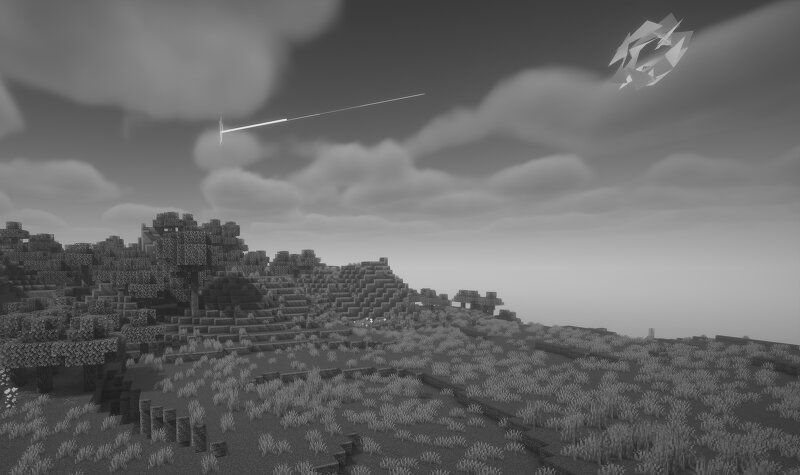
Astral Projection turns Minecraft into a spirit-walking survival experience. Project into a eerie greyscale mirror world, scout structures through particle auras, dodge fractal entities, and if you're daring steal another player's body. But leave your own body undefended at your peril... Getting Started Projecting. Run /astral project to enter the Astral dimension.. Your body is left behind at your current position in the Overworld as a Meditating Body entity. You are teleported to the Astral Returning to Your Body Fly back to within 3 blocks of your body's position.. there will be an arrow You cannot roam more than 800 blocks from your body Once you return to the body, you're teleported back to the Overworld If Your Body Dies Your Meditating Body entity has health equal to your max health and can be attacked by mobs or players. If it's killed, you die — your player is killed in the Overworld. Fractal Bending Integration (Optional) If installed, astral projection requires meeting element-specific biome conditions: Airbenders — Must be in a mountain biome Waterbenders — Must be in a cold biome (temp < 0.2) or ocean biome Earthbenders — Must be below y=42 Firebenders — Must be within
Added value
What’s included on this page
Preview, categories, compatibility, and tools on this page — not a bare file mirror.
- Creator
- Water_Wind_
- Source
- Minecraft downloads library on Eaglercraft Studio
- Type
- Minecraft mod
- Price
- Free download on Eaglercraft Studio
- Curation
- Listed with credit to Water_Wind_ · studio preview & install guide
- Game Version
- Minecraft 26.2
- Compatible with
- Minecraft Java (match version / loader in facts)
- Tags
- Astral, Magic, New Content, Powers, Project, Psychic
Install guide
How to install this free Minecraft mod
Eaglercraft Studio listing with metadata, creator credit, and loader-aware install guidance.
- 1Download the jar/zip when available.
- 2Install the matching loader (Forge, Fabric, or NeoForge) for your Minecraft version.
- 3Drop the mod into your mods folder, then launch with that profile.
Wrong loader or game version usually crashes on startup — read the facts on this page first.
Related free mods
More curated mods from the same library section.

Pastelmooncrafting15 · 67 diamonds · 20 views

PotatoWolfie · 60 diamonds · 2 views

PotatoWolfie · 53 diamonds · 622 views

Janss_33PL · 47 diamonds · 940 views