
AuraBridge
Creator: RealNamanYT · 2026-07-03 · Mods · Free on Eaglercraft Studio
Download AuraBridge — free Minecraft mod. Created by RealNamanYT. Tagged aura, aurabridge, automatic, bedwars. Check the file details for Forge, Fabric, or NeoForge before installing.
Creator notes
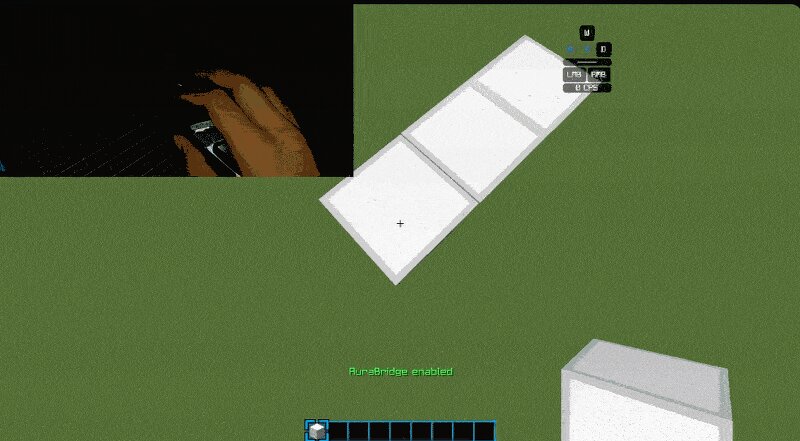
AuraBridge AuraBridge is a lightweight client-side quality-of-life mod that improves consistency when placing blocks while sneaking. It is designed to work only with direct player input, helping make block placement feel more reliable during manual gameplay. The mod does not perform any automated actions and does not modify player movement or camera control. Features Toggleable keybind (default: G) Lightweight client-side implementation Vanilla-friendly block placement behavior Works in singleplayer and multiplayer Designed for consistent sneaking block placement Requires full manual movement and aiming Important Notes AuraBridge does not: Automate movement or bridging Control camera rotation or aim Place blocks without player input Provide combat or PvP advantages Use pathfinding or scripting systems All actions require direct player interaction (right-click placement). Supported Versions Fabric: Minecraft 1.21.11 Minecraft 1.21.5 Minecraft 1.21.1 Forge: Minecraft 1.8.9 Controls G — Toggle AuraBridge Performance AuraBridge is designed to be lightweight with minimal performance impact and no background processing systems. Community & Socials Discord: https://discord.com/invite/caHT
Added value
What’s included on this page
Preview, categories, compatibility, and tools on this page — not a bare file mirror.
- Creator
- RealNamanYT
- Source
- Minecraft downloads library on Eaglercraft Studio
- Type
- Minecraft mod
- Price
- Free download on Eaglercraft Studio
- Curation
- Listed with credit to RealNamanYT · studio preview & install guide
- Game Version
- Minecraft 1.21.11
- Compatible with
- Minecraft Java (match version / loader in facts)
- Tags
- Aura, Aurabridge, Automatic, Bedwars, Bridge, Mod
Install guide
How to install this free Minecraft mod
Eaglercraft Studio listing with metadata, creator credit, and loader-aware install guidance.
- 1Download the jar/zip when available.
- 2Install the matching loader (Forge, Fabric, or NeoForge) for your Minecraft version.
- 3Drop the mod into your mods folder, then launch with that profile.
Wrong loader or game version usually crashes on startup — read the facts on this page first.
Related free mods
More curated mods from the same library section.

Pastelmooncrafting15 · 67 diamonds · 20 views

PotatoWolfie · 60 diamonds · 2 views

PotatoWolfie · 53 diamonds · 622 views

Janss_33PL · 47 diamonds · 940 views