
Banner&Lodestone Locator Bar
Creator: nugrevan · 2026-05-13 · Mods · Free on Eaglercraft Studio
Download Banner&Lodestone Locator Bar — free Minecraft mod. Created by nugrevan. Tagged banner, locator, locator bar, lodestone. Check the file details for Forge, Fabric, or NeoForge before installing.
Creator notes
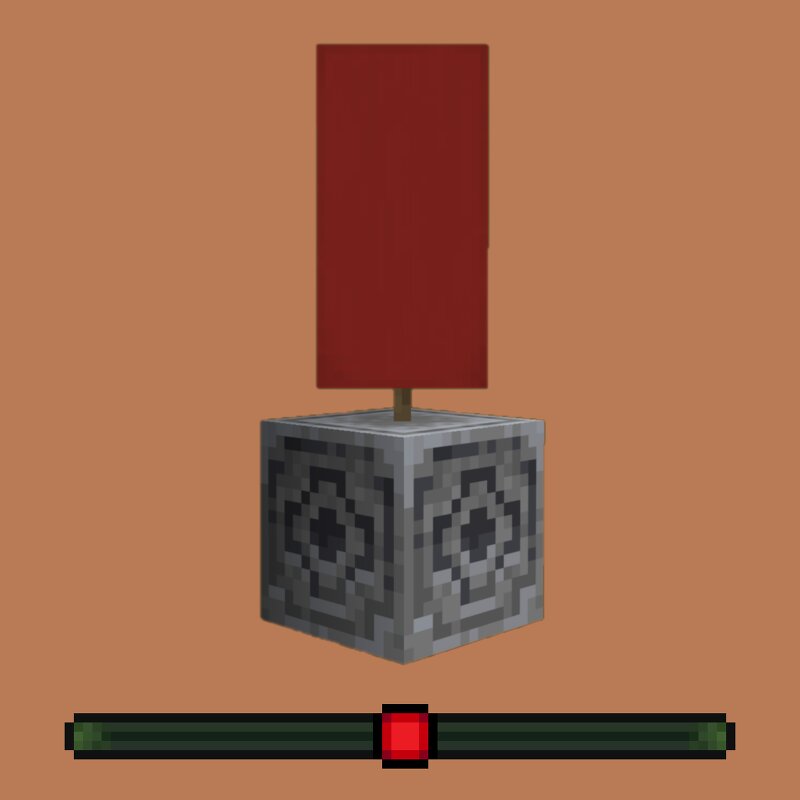
Have you ever wanted to use the Locator bar to locate your base, your farm, or even just a cool spot where you want to come back later ? With Banner&Lodestone you don't need to screen or write down your coordinates anymore, this is a lightweight, survival friendly way to locate spots where you've already been in your minecraft world ! Simply place a banner on top of a lodestone and a dot matching the color of the banner will appear on your locator bar ! And if you wish to remove a dot, you just need to break the banner, it's as simple as that ! If you have any issue/question, contact me on discord! (@nugrevan) : discord.gg/SxarRKTw8k , any feedback will be greatly appreciated, thanks !
Added value
What’s included on this page
Preview, categories, compatibility, and tools on this page — not a bare file mirror.
- Creator
- nugrevan
- Source
- Minecraft downloads library on Eaglercraft Studio
- Type
- Minecraft mod
- Price
- Free download on Eaglercraft Studio
- Curation
- Listed with credit to nugrevan · studio preview & install guide
- Game Version
- Minecraft 26.1.2
- Compatible with
- Minecraft Java (match version / loader in facts)
- Tags
- Banner, Locator, Locator Bar, Lodestone, Other
Install guide
How to install this free Minecraft mod
Eaglercraft Studio listing with metadata, creator credit, and loader-aware install guidance.
- 1Download the jar/zip when available.
- 2Install the matching loader (Forge, Fabric, or NeoForge) for your Minecraft version.
- 3Drop the mod into your mods folder, then launch with that profile.
Wrong loader or game version usually crashes on startup — read the facts on this page first.
Related free mods
More curated mods from the same library section.

Pastelmooncrafting15 · 67 diamonds · 20 views

PotatoWolfie · 60 diamonds · 2 views

PotatoWolfie · 53 diamonds · 622 views

Janss_33PL · 47 diamonds · 940 views