
Beacons Plus
Creator: ButterBoyRS · 2026-01-18 · Mods · Free on Eaglercraft Studio
Download Beacons Plus — free Minecraft mod. Created by ButterBoyRS. Tagged beacon, beaconplus, client, clientside. Check the file details for Forge, Fabric, or NeoForge before installing.
Creator notes
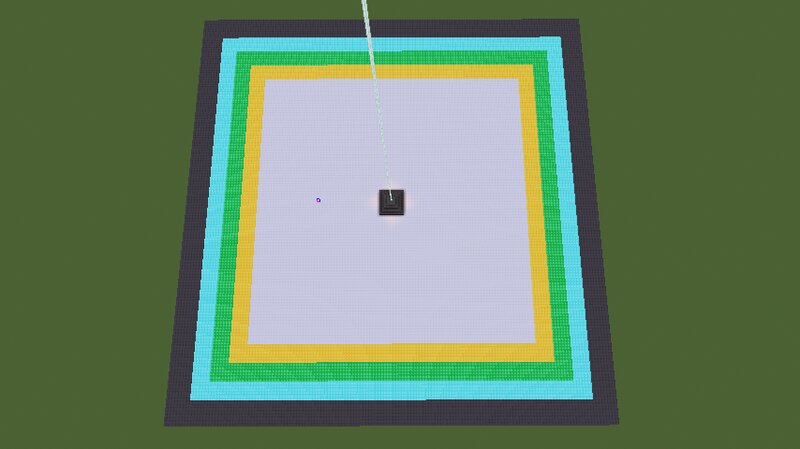
To fund more mods -- buymeacoffee.com/ButterBoyRS ⭐ Range Bonuses Each pyramid material adds a bonus to the beacon’s effect radius: Iron — +0 Gold — +5 Emerald — +10 Diamond — +15 Netherite — +25 These bonuses stack on top of the vanilla beacon range. ⚠️ Important: Lowest‑Tier Rule Your beacon’s bonus is determined by the lowest‑tier block anywhere in the pyramid. That means: A diamond pyramid with one iron block → Iron bonus (0) A full iron pyramid with a netherite top → Iron bonus (0) To get the netherite bonus, every block in the pyramid must be netherite or better This encourages players to build true high‑tier pyramids instead of mixing materials. 📏 Square Range (Infinite Height) BeaconPlus uses a square‑shaped range instead of a circle. Effects apply to any player within a square centered on the beacon — no vertical limit. This makes beacon coverage feel more consistent for: Towers Bases Farms Vertical builds Multi‑floor structures 🧱 Fully Server‑Optimized BeaconPlus is designed with servers in mind: Efficient caching No laggy scans No client‑side code Works seamlessly with Fabric servers 🔧 Compatibility Fabric Loader Minecraft 1.21.1x Works alongside most beacon‑related mods
Added value
What’s included on this page
Preview, categories, compatibility, and tools on this page — not a bare file mirror.
- Creator
- ButterBoyRS
- Source
- Minecraft downloads library on Eaglercraft Studio
- Type
- Minecraft mod
- Price
- Free download on Eaglercraft Studio
- Curation
- Listed with credit to ButterBoyRS · studio preview & install guide
- Game Version
- Minecraft 1.21.11
- Compatible with
- Minecraft Java (match version / loader in facts)
- Tags
- Beacon, Beaconplus, Client, Clientside, Fabric, Fabricmc
Install guide
How to install this free Minecraft mod
Eaglercraft Studio listing with metadata, creator credit, and loader-aware install guidance.
- 1Download the jar/zip when available.
- 2Install the matching loader (Forge, Fabric, or NeoForge) for your Minecraft version.
- 3Drop the mod into your mods folder, then launch with that profile.
Wrong loader or game version usually crashes on startup — read the facts on this page first.
Related free mods
More curated mods from the same library section.

Pastelmooncrafting15 · 67 diamonds · 20 views

PotatoWolfie · 60 diamonds · 2 views

PotatoWolfie · 53 diamonds · 622 views

Janss_33PL · 47 diamonds · 940 views