
BGMFields
Creator: onmi1855 · 2026-01-31 · Mods · Free on Eaglercraft Studio
Download BGMFields — free Minecraft mod. Created by onmi1855. Tagged other. Check the file details for Forge, Fabric, or NeoForge before installing.
Creator notes
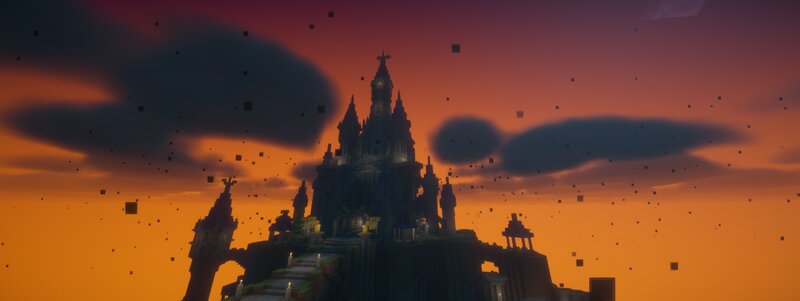
BGM Fields (Forge 1.20.1) 🎥 **Watch the BGM Fields demo:** https://www.youtube.com/shorts/meaJewowPdg BGM Fields lets you place Realm Blocks that create server-authoritative “BGM zones” (Realms) . When a player is inside a Realm, the Realm can: ・Switch BGM (single track or playlist) ・Apply “Vision” visuals (fog / overlay / sky-only tint / particles / colored precipitation) ・Optionally render a glowing boundary ring (visible from inside and outside) This mod does not send .ogg audio files over the network. Music is referenced by Sound Event IDs ; you provide the actual audio via a client resource pack (per-player) or a server-pushed resource pack . Requirements Minecraft 1.20.1 Forge 47.x Multiplayer: install the mod on both the server and all clients . Getting Started 1) Craft and place a Realm Block. 2) Right-click the Realm Block to open the settings screen. 3) Set: ・Radius (max 300) ・Y-range (optional; you can limit the realm vertically) ・Realm color (used by visuals) ・BGM settings (track or playlist) ・Per-realm BGM volume (0–100, default 80) Only the owner can edit the Realm. OPs (permission level 2) can also edit. Realm Placement Rules ・If another player’s Realm overlaps the n
Added value
What’s included on this page
Preview, categories, compatibility, and tools on this page — not a bare file mirror.
- Creator
- onmi1855
- Source
- Minecraft downloads library on Eaglercraft Studio
- Type
- Minecraft mod
- Price
- Free download on Eaglercraft Studio
- Curation
- Listed with credit to onmi1855 · studio preview & install guide
- Game Version
- Minecraft 1.20.1
- Compatible with
- Minecraft Java (match version / loader in facts)
- Tags
- Other
Install guide
How to install this free Minecraft mod
Eaglercraft Studio listing with metadata, creator credit, and loader-aware install guidance.
- 1Download the jar/zip when available.
- 2Install the matching loader (Forge, Fabric, or NeoForge) for your Minecraft version.
- 3Drop the mod into your mods folder, then launch with that profile.
Wrong loader or game version usually crashes on startup — read the facts on this page first.
Related free mods
More curated mods from the same library section.

Pastelmooncrafting15 · 67 diamonds · 20 views

PotatoWolfie · 60 diamonds · 2 views

PotatoWolfie · 53 diamonds · 622 views

Janss_33PL · 47 diamonds · 940 views