
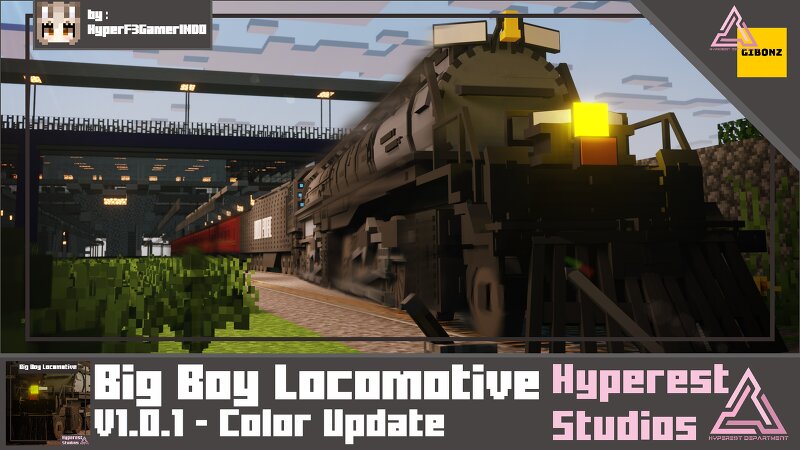
Big Boy Locomotive | v1.0.1 Color Update
Creator: Hyperest Studios · 2026-08-03 · Mods · Free on Eaglercraft Studio
Download Big Boy Locomotive | v1.0.1 Color Update — free Minecraft mod. Created by Hyperest Studios. Tagged new content, railroad, train. Check the file details for Forge, Fabric, or NeoForge before installing.
Creator notes
looking a big train locomotive? This Beast chunk of metal maybe you're looking for, introduce Big Boy! this thing is old but the power still huge!. [This Project part of ModJam2026] Basic Information Big Boy Locomotive Basic Specifications Performance: Gibonz System: 42 Miscellaneous: Health: 20 Points. Seat count: Depends on vehicle. Damage: The Vehicle will get damage animation if under max health condition and if the Vehicle in Critical Health [2 health] will release particles if the car moving. so fix your car using Wrench. Wrenches: Wrench: Fixes 1 point to the vehicle. Spray: Use right-click/hold and tap to spray the vehicle. Commands, Eggs and Colors available to change: /summon hp:bigboy_locomotive [RED, BLUE, PINK, BLACK, GRAY, WHITE, PURPLE, GREEN, YELLOW, ORANGE, HYPEREST] /summon hp:bigboy_tender [RED, BLUE, PINK, BLACK, GRAY, WHITE, PURPLE, GREEN, YELLOW, ORANGE, HYPEREST] Special Features: Big Boy Locomotive Visual In-Game Video Note You Need GRTC - Gibonz Railway Train Controller v1.3.0 or v2.1.5 CLICK HERE to make this train to run, the door had animation, just use items that we provide at controller. We recommended max 9 train to put because Minecraft limitations
Added value
What’s included on this page
Preview, categories, compatibility, and tools on this page — not a bare file mirror.
- Creator
- Hyperest Studios
- Source
- Minecraft downloads library on Eaglercraft Studio
- Type
- Minecraft mod
- Price
- Free download on Eaglercraft Studio
- Curation
- Listed with credit to Hyperest Studios · studio preview & install guide
- Game Version
- Minecraft 26.2
- Compatible with
- Minecraft Java (match version / loader in facts)
- Tags
- New Content, Railroad, Train
Install guide
How to install this free Minecraft mod
Eaglercraft Studio listing with metadata, creator credit, and loader-aware install guidance.
- 1Download the jar/zip when available.
- 2Install the matching loader (Forge, Fabric, or NeoForge) for your Minecraft version.
- 3Drop the mod into your mods folder, then launch with that profile.
Wrong loader or game version usually crashes on startup — read the facts on this page first.
Related free mods
More curated mods from the same library section.

Pastelmooncrafting15 · 67 diamonds · 20 views

PotatoWolfie · 60 diamonds · 2 views

PotatoWolfie · 53 diamonds · 622 views

Janss_33PL · 47 diamonds · 940 views