
Block Shuffle
Creator: Mokey Crue · 2026-07-31 · Mods · Free on Eaglercraft Studio
Download Block Shuffle — free Minecraft mod. Created by Mokey Crue. Tagged blocks, blockshuffle, minecraft, minecraftmod. Check the file details for Forge, Fabric, or NeoForge before installing.
Creator notes
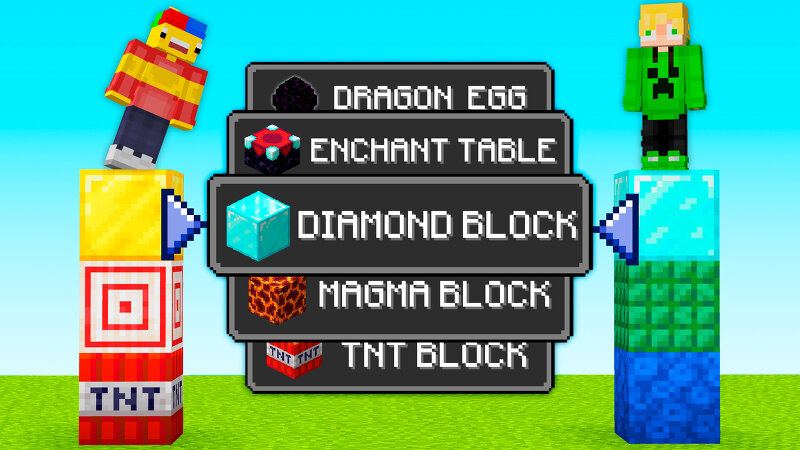
🧱 Mokey Mod: Block Shuffle — The Minigame That Will Test Your Reflexes (and Your Luck) Just imagine: the game announces — "Your block: Lava" — and you have to figure out where to find one before time runs out. Each round gets harder, and only one winner remains. Block Shuffle Mokey is a mod for Minecraft 1.21.8 that turns any multiplayer server into a race against the clock: each player gets a different target block and has to stand on top of it before the timer hits zero. Whoever is fast — and smart — survives. ⚙️ How It Works An admin starts the game, the mod assigns a random block to each connected player, and the timer starts counting down. A boss bar shows the remaining time and the current round in real time. Whoever stands on the correct block before time runs out advances; whoever fails is eliminated. Difficulty increases with each round level, with blocks becoming rarer and harder to find — until only one champion remains. 🛠️ Commands The root command is /blockshuffle (shortcut /bs ). /bs start Begins a Block Shuffle match. Assigns a target block to every online player and starts the timer for the first round. Requires the configured minimum number of players (default sett
Added value
What’s included on this page
Preview, categories, compatibility, and tools on this page — not a bare file mirror.
- Creator
- Mokey Crue
- Source
- Minecraft downloads library on Eaglercraft Studio
- Type
- Minecraft mod
- Price
- Free download on Eaglercraft Studio
- Curation
- Listed with credit to Mokey Crue · studio preview & install guide
- Game Version
- Minecraft 1.21.8
- Compatible with
- Minecraft Java (match version / loader in facts)
- Tags
- Blocks, Blockshuffle, Minecraft, Minecraftmod, Other
Install guide
How to install this free Minecraft mod
Eaglercraft Studio listing with metadata, creator credit, and loader-aware install guidance.
- 1Download the jar/zip when available.
- 2Install the matching loader (Forge, Fabric, or NeoForge) for your Minecraft version.
- 3Drop the mod into your mods folder, then launch with that profile.
Wrong loader or game version usually crashes on startup — read the facts on this page first.
Related free mods
More curated mods from the same library section.

Pastelmooncrafting15 · 67 diamonds · 20 views

PotatoWolfie · 60 diamonds · 2 views

PotatoWolfie · 53 diamonds · 622 views

Janss_33PL · 47 diamonds · 940 views