
Boat Utils
Creator: lyuwenhan · 2026-07-23 · Mods · Free on Eaglercraft Studio
Download Boat Utils — free Minecraft mod. Created by lyuwenhan. Tagged functional. Check the file details for Forge, Fabric, or NeoForge before installing.
Creator notes
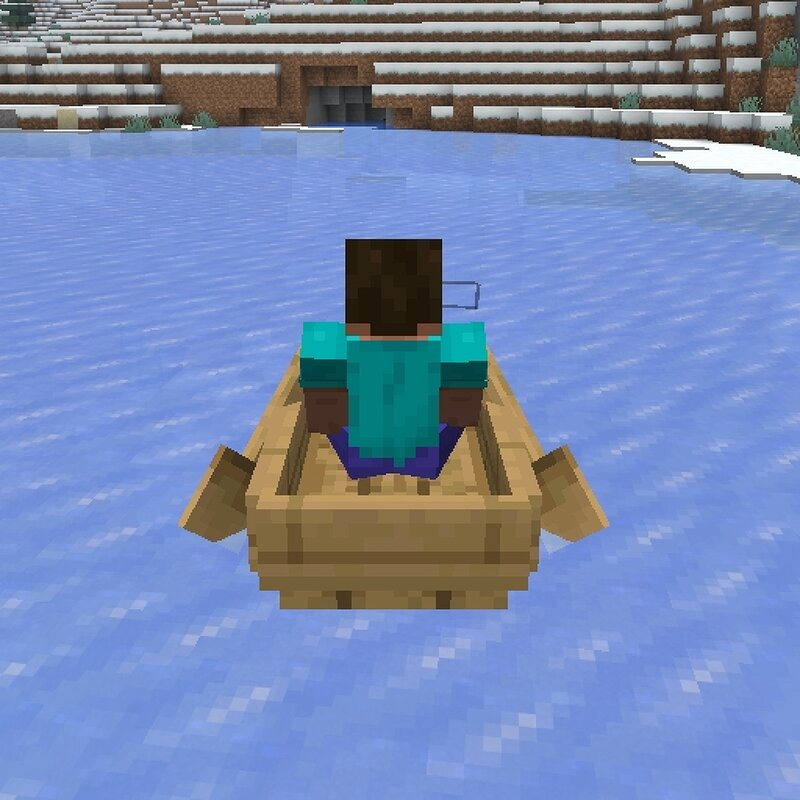
Languages EN/English | ZH-CN/简体中文 Boat Utils A client-side Fabric mod that adds configurable boat camera and movement utilities. This project is completely unrelated to OpenBoatUtils . If you were looking for that project, please make sure you are visiting the correct project . Features Unlocks the vanilla boat camera rotation limit Makes the boat immediately follow the view direction Changes the left and right movement keys from turning to horizontal strafing while Follow View is enabled Provides four configurable boat direction hotkeys Snaps the boat to cardinal or 45-degree directions Centers the boat within its current block when using the Up, Left, or Right direction hotkeys Clears the boat's movement and steering inertia after using a direction hotkey Makes the boat use blue ice friction Provides optional lateral friction to reduce sideways boat movement Prevents underwater sinking with a fixed upward speed of 2.4 blocks per second Allows underwater boarding and prevents forced dismounting while Prevent Sinking is enabled Provides configurable boat step height Provides a handbrake with an optional release boost Configuration The configuration screen is available through Mod M
Added value
What’s included on this page
Preview, categories, compatibility, and tools on this page — not a bare file mirror.
- Creator
- lyuwenhan
- Source
- Minecraft downloads library on Eaglercraft Studio
- Type
- Minecraft mod
- Price
- Free download on Eaglercraft Studio
- Curation
- Listed with credit to lyuwenhan · studio preview & install guide
- Game Version
- Minecraft 26.3 snapshot
- Compatible with
- Minecraft Java (match version / loader in facts)
- Tags
- Functional
Install guide
How to install this free Minecraft mod
Eaglercraft Studio listing with metadata, creator credit, and loader-aware install guidance.
- 1Download the jar/zip when available.
- 2Install the matching loader (Forge, Fabric, or NeoForge) for your Minecraft version.
- 3Drop the mod into your mods folder, then launch with that profile.
Wrong loader or game version usually crashes on startup — read the facts on this page first.
Related free mods
More curated mods from the same library section.

Pastelmooncrafting15 · 67 diamonds · 20 views

PotatoWolfie · 60 diamonds · 2 views

PotatoWolfie · 53 diamonds · 622 views

Janss_33PL · 47 diamonds · 940 views