
Bodyguard Addon (Minecraft Bedrock Only)
Creator: Mizab · 2026-02-05 · Mods · Free on Eaglercraft Studio
Download Bodyguard Addon (Minecraft Bedrock Only) — free Minecraft mod. Created by Mizab. Tagged addon, addons, bedrock, bodyguard. Check the file details for Forge, Fabric, or NeoForge before installing.
Creator notes
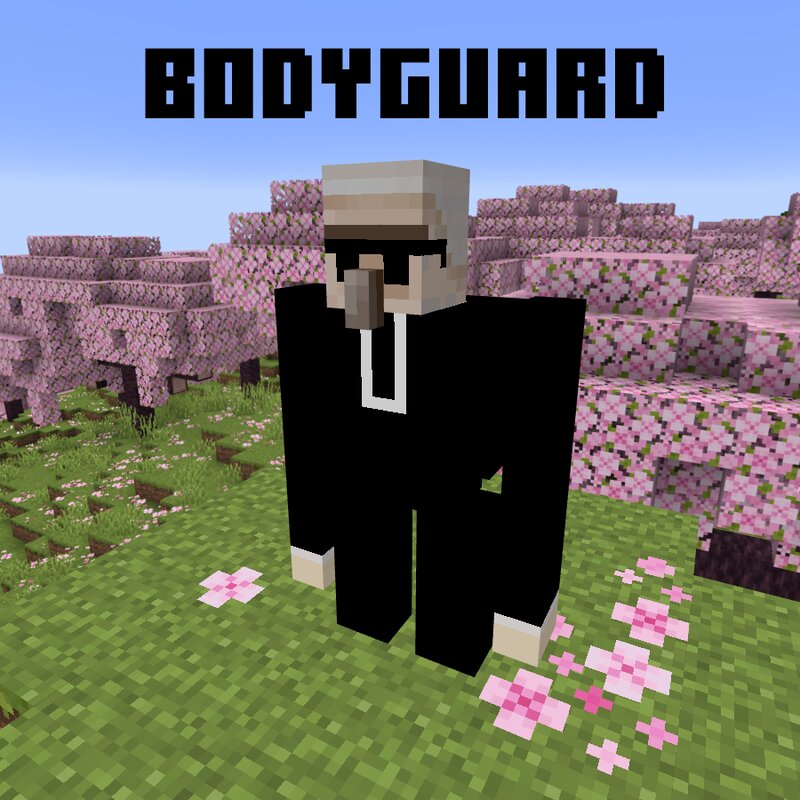
Tired of fighting mobs all by yourself? Worry not! Introducing the Bodyguard Addon, which lets you turn a simple Iron Golem into your loyal personal bodyguard. With just a small amount of Coins (don’t worry, I’ll show you how to craft them), you can hire an Iron Golem to follow you everywhere, fight for you, and keep you safe from nearby threats. Key Features: Follows the Owner: The bodyguard will always follow its owner wherever they go. Protects the Owner: If any entity attacks you, your bodyguard will immediately retaliate. Neutralizes Nearby Threats: Automatically handles hostile mobs in the surrounding area. Standby and Following States: Right click to change the state of the bodyguard to "Standby" and "Following". In "Standby" state the guard will stay still and will not follow the player. In "Following" state the guard will follow and teleport to the player. How to Install: Download the Bodyguard.mcaddon file. Right-click the file and open it with Minecraft Bedrock Edition. The game will automatically install the addon for you. How to Make an Iron Golem Your Bodyguard: Hold a Stack of Coins in your hand. Right-click a normal Iron Golem with the coins. After 5 clicks, the Iro
Added value
What’s included on this page
Preview, categories, compatibility, and tools on this page — not a bare file mirror.
- Creator
- Mizab
- Source
- Minecraft downloads library on Eaglercraft Studio
- Type
- Minecraft mod
- Price
- Free download on Eaglercraft Studio
- Curation
- Listed with credit to Mizab · studio preview & install guide
- Game Version
- Minecraft 1.21.11
- Compatible with
- Minecraft Java (match version / loader in facts)
- Tags
- Addon, Addons, Bedrock, Bodyguard, Irongolem, New Content
Install guide
How to install this free Minecraft mod
Eaglercraft Studio listing with metadata, creator credit, and loader-aware install guidance.
- 1Download the jar/zip when available.
- 2Install the matching loader (Forge, Fabric, or NeoForge) for your Minecraft version.
- 3Drop the mod into your mods folder, then launch with that profile.
Wrong loader or game version usually crashes on startup — read the facts on this page first.
Related free mods
More curated mods from the same library section.

Pastelmooncrafting15 · 67 diamonds · 20 views

PotatoWolfie · 60 diamonds · 2 views

PotatoWolfie · 53 diamonds · 622 views

Janss_33PL · 47 diamonds · 940 views