
Bonnie's Source Engine (Bedrock Add-on)
Creator: BonnieRobloxRIP · 2026-03-29 · Mods · Free on Eaglercraft Studio
Download Bonnie's Source Engine (Bedrock Add-on) — free Minecraft mod. Created by BonnieRobloxRIP. Tagged addon, bedrockedition, blackmesa, blocktools. Check the file details for Forge, Fabric, or NeoForge before installing.
Creator notes
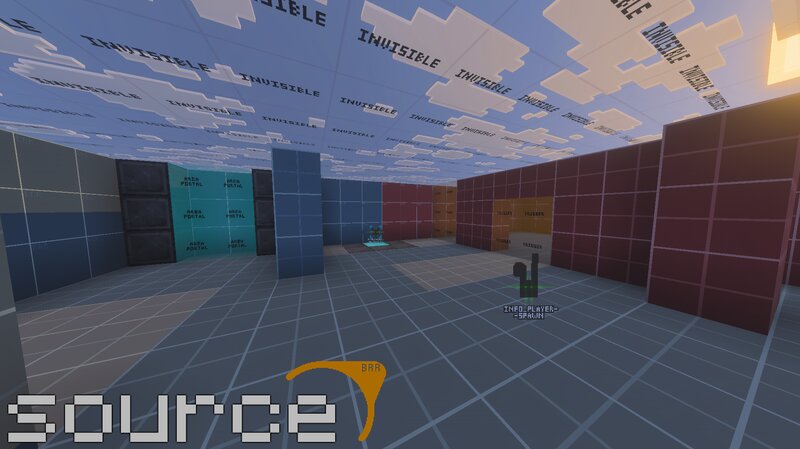
Bonnie's Source Engine Created by BonnieRobloxRIP · Property of The Bonnie Team Run. Think. Shoot. Live. Source. Table of Contents Overview Download Notes Why People Use It Feature Highlights Block Overview Tool Blocks Info Blocks Logic Blocks Game Blocks More Than Just Source-Style Tools Commands and Admin Tools Good Fit For Documentation Usage and Credits Final Notes Overview Bonnie's Source Engine is a Minecraft Bedrock add-on inspired by the workflow of Source Engine mapping tools, redesigned to function inside Bedrock Edition. It gives map creators a structured set of in-world blocks and utilities for building minigames, story maps, puzzle maps, horror projects, multiplayer encounters, and heavily scripted custom experiences. This is not just a decorative content pack. It is a builder-facing toolkit with configurable trigger zones, teleport routing, invisible collision helpers, logic systems, spawn management, chat utilities, custom UI, map tools, weapons, and a handful of extra sandbox features that do not try to imitate Source at all. Download Notes Enable Beta APIs before using the add-on. Engine blocks are invisible when placed by default, but they become visible while you
Added value
What’s included on this page
Preview, categories, compatibility, and tools on this page — not a bare file mirror.
- Creator
- BonnieRobloxRIP
- Source
- Minecraft downloads library on Eaglercraft Studio
- Type
- Minecraft mod
- Price
- Free download on Eaglercraft Studio
- Curation
- Listed with credit to BonnieRobloxRIP · studio preview & install guide
- Game Version
- Minecraft 26.2
- Compatible with
- Minecraft Java (match version / loader in facts)
- Tags
- Addon, Bedrockedition, Blackmesa, Blocktools, Halflife, Mapmaking
Install guide
How to install this free Minecraft mod
Eaglercraft Studio listing with metadata, creator credit, and loader-aware install guidance.
- 1Download the jar/zip when available.
- 2Install the matching loader (Forge, Fabric, or NeoForge) for your Minecraft version.
- 3Drop the mod into your mods folder, then launch with that profile.
Wrong loader or game version usually crashes on startup — read the facts on this page first.
Related free mods
More curated mods from the same library section.

Pastelmooncrafting15 · 67 diamonds · 20 views

PotatoWolfie · 60 diamonds · 2 views

PotatoWolfie · 53 diamonds · 622 views

Janss_33PL · 47 diamonds · 940 views