
Burn By Soul Fire! (Forge, fabric, neoforge)
Creator: Aquarius_playz · 2025-11-06 · Mods · Free on Eaglercraft Studio
Download Burn By Soul Fire! (Forge, fabric, neoforge) — free Minecraft mod. Created by Aquarius_playz. Tagged aesthetic, fabric, forge, neoforge. Check the file details for Forge, Fabric, or NeoForge before installing.
Creator notes
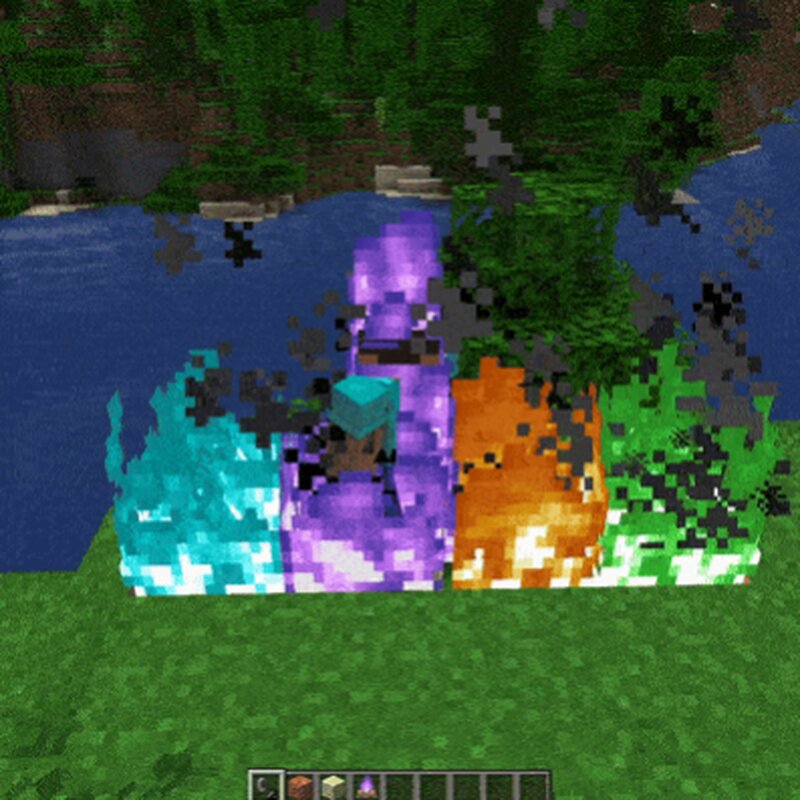
This mod changes the way the fire is displayed on entities. If an entity touches a soul fire block then its burning visual will be the soul fire instead of the regular fire. If the entity contacts soul fire and regular fire at the same time then the soul fires visual effect will be shown. The soul fire will be shown on the entity permanently until its not burning anymore or if it touches a regular fire. You don't have to install it on servers to use it as this is just doing some visual changes and runs purely on the clients side. There is a config file available in the config folder where you can change 2 true/false value.(burnbysoulfireconfig) -soul fire on HUD (if true then the soul fire will be shown on your HUD when you walk on it) -soul fire on entity (if true then the soul fire will be shown on the entities) So if you want to have only one if them just write false instead of true to the one you dont need. Mod currently supports Forge 1.21.11 | 1.21.10 | 1.21.9 | 1.21.8 | 1.21.7 | 1.21.6 | 1.21.4 | 1.21.1 | 1.20.1 Fabric 1.21.11 | 1.21.10 | 1.21.9 | 1.21.8 | 1.21.7 | 1.21.6 | 1.21.4 | 1.21.1 Neoforge 1.21.11 | 1.21.10 | 1.21.9 | 1.21.8 | 1.21.7 | 1.21.6 | 1.21.4 | 1.21.1 Follo
Added value
What’s included on this page
Preview, categories, compatibility, and tools on this page — not a bare file mirror.
- Creator
- Aquarius_playz
- Source
- Minecraft downloads library on Eaglercraft Studio
- Type
- Minecraft mod
- Price
- Free download on Eaglercraft Studio
- Curation
- Listed with credit to Aquarius_playz · studio preview & install guide
- Game Version
- Minecraft 1.21.11
- Compatible with
- Minecraft Java (match version / loader in facts)
- Tags
- Aesthetic, Fabric, Forge, Neoforge, Soulfire
Install guide
How to install this free Minecraft mod
Eaglercraft Studio listing with metadata, creator credit, and loader-aware install guidance.
- 1Download the jar/zip when available.
- 2Install the matching loader (Forge, Fabric, or NeoForge) for your Minecraft version.
- 3Drop the mod into your mods folder, then launch with that profile.
Wrong loader or game version usually crashes on startup — read the facts on this page first.
Related free mods
More curated mods from the same library section.

Pastelmooncrafting15 · 67 diamonds · 20 views

PotatoWolfie · 60 diamonds · 2 views

PotatoWolfie · 53 diamonds · 622 views

Janss_33PL · 47 diamonds · 940 views