
CandyCraft
Creator: NYAMIX_Q · 2026-04-15 · Mods · Free on Eaglercraft Studio
Download CandyCraft — free Minecraft mod. Created by NYAMIX_Q. Tagged candy, caramel, decoration, food. Check the file details for Forge, Fabric, or NeoForge before installing.
Creator notes
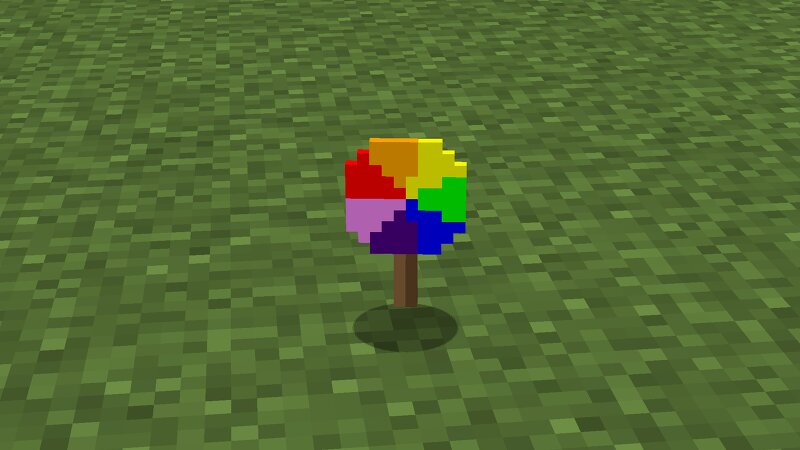
🍭 CandyCraft - A Sweet Expansion! Welcome to CandyCraft , a mod that adds a colorful variety of sweets to your Minecraft world! From simple caramels to magical apples, this mod brings sweetness and utility together. ✨ Key Features: 16 Colors of Caramels : Smelt sugar in a furnace to get Yellow Caramel, then dye it into any of the 16 Minecraft colors! Swirl Lollipops : Craft beautiful, swirly lollipops using any caramel and a stick. They look great and taste even better! Caramel Blocks : Solid, glossy blocks crafted from 9 caramels. They have the strength of cobblestone and come in all 16 colors—perfect for candy-themed builds! Magical Caramel Apples : Surround an apple with 8 caramels to get a Caramel Apple. Each color gives a unique 30-second potion effect (e.g., Red for Absorption, Blue for Resistance, Cyan for Water Breathing). Rainbow Lollipop : A special treat made from any 3 caramels that restores a lot of hunger! 🛠️ Crafting: Caramel : Smelt 1 Sugar in a Furnace. Lollipop : 1 Caramel + 1 Stick below. Caramel Apple : 1 Apple (center) + 8 Caramels around it. Caramel Block : 9 Caramels in a 3x3 grid. Rainbow Lollipop : 3 Caramels in a row + 1 Stick below the center one. 🌈 Creat
Added value
What’s included on this page
Preview, categories, compatibility, and tools on this page — not a bare file mirror.
- Creator
- NYAMIX_Q
- Source
- Minecraft downloads library on Eaglercraft Studio
- Type
- Minecraft mod
- Price
- Free download on Eaglercraft Studio
- Curation
- Listed with credit to NYAMIX_Q · studio preview & install guide
- Game Version
- Minecraft 1.16.5
- Compatible with
- Minecraft Java (match version / loader in facts)
- Tags
- Candy, Caramel, Decoration, Food, Forge, Lollipop
Install guide
How to install this free Minecraft mod
Eaglercraft Studio listing with metadata, creator credit, and loader-aware install guidance.
- 1Download the jar/zip when available.
- 2Install the matching loader (Forge, Fabric, or NeoForge) for your Minecraft version.
- 3Drop the mod into your mods folder, then launch with that profile.
Wrong loader or game version usually crashes on startup — read the facts on this page first.
Related free mods
More curated mods from the same library section.

Pastelmooncrafting15 · 67 diamonds · 20 views

PotatoWolfie · 60 diamonds · 2 views

PotatoWolfie · 53 diamonds · 622 views

Janss_33PL · 47 diamonds · 940 views