
Cartoony | 1.7.3 - 26.1.2 Minecraft Shader | Fantasy
Creator: xsoras · 2026-06-07 · Mods · Free on Eaglercraft Studio
Download Cartoony | 1.7.3 - 26.1.2 Minecraft Shader | Fantasy — free Minecraft mod. Created by xsoras. Tagged 3d, aesthetic, caffeine, cartoony. Check the file details for Forge, Fabric, or NeoForge before installing.
Creator notes
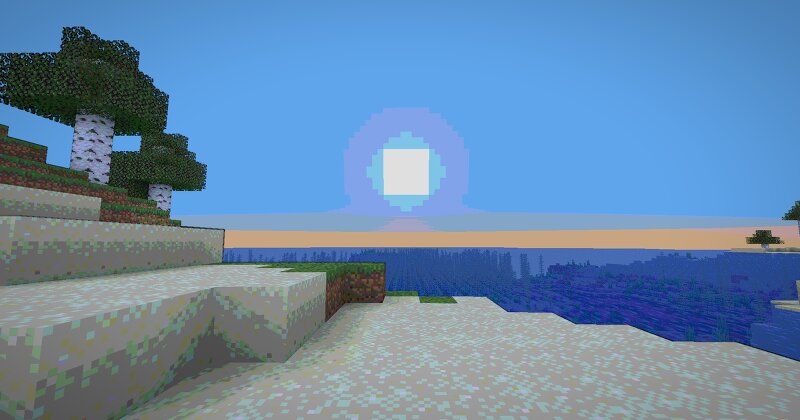
🎨 Cartoony for Minecraft Transform your Minecraft world into a vibrant, animated masterpiece! This shader pack brings a cel-shaded, cartoon aesthetic to your gameplay with smooth lighting, bold outlines, and stylized color grading. ✨ Features Visual Effects Cel-Shaded Lighting - Smooth, stepped lighting that creates that iconic cartoon look Dynamic Outlines - Depth-based edge detection with smooth, artistic borders Color Banding - 8-level color quantization with seamless transitions Enhanced Colors - Carefully tuned saturation and warmth for a vibrant world Cinematic Vignette - Subtle darkening at screen edges for focus and depth Optimized Contrast - Balanced brightness that preserves detail without harsh shadows 🧠 Lamapi: Next-Gen Open Source AI Pushing the boundaries of accessible intelligence. Whether you need lightweight efficiency or industrial-grade reasoning, the Next Series delivers. Why build with Lamapi? ⚡ High Efficiency: From compact 1B models to powerful 70B reasoning engines. 🌍 Multilingual Mastery: Optimized for superior performance in English & Turkish. 🛠️ Ready to Deploy: State-of-the-art open weights available immediately. Explore our models and start building:
Added value
What’s included on this page
Preview, categories, compatibility, and tools on this page — not a bare file mirror.
- Creator
- xsoras
- Source
- Minecraft downloads library on Eaglercraft Studio
- Type
- Minecraft mod
- Price
- Free download on Eaglercraft Studio
- Curation
- Listed with credit to xsoras · studio preview & install guide
- Game Version
- Minecraft 26.1.2
- Compatible with
- Minecraft Java (match version / loader in facts)
- Tags
- 3d, Aesthetic, Caffeine, Cartoony, Content, Minecraft
Install guide
How to install this free Minecraft mod
Eaglercraft Studio listing with metadata, creator credit, and loader-aware install guidance.
- 1Download the jar/zip when available.
- 2Install the matching loader (Forge, Fabric, or NeoForge) for your Minecraft version.
- 3Drop the mod into your mods folder, then launch with that profile.
Wrong loader or game version usually crashes on startup — read the facts on this page first.
Related free mods
More curated mods from the same library section.

Pastelmooncrafting15 · 67 diamonds · 20 views

PotatoWolfie · 60 diamonds · 2 views

PotatoWolfie · 53 diamonds · 622 views

Janss_33PL · 47 diamonds · 940 views