
CCTVCraft
Creator: NorthWestTrees · 2025-12-23 · Mods · Free on Eaglercraft Studio
Download CCTVCraft — free Minecraft mod. Created by NorthWestTrees. Tagged camera, mcreator, new content, security. Check the file details for Forge, Fabric, or NeoForge before installing.
Creator notes
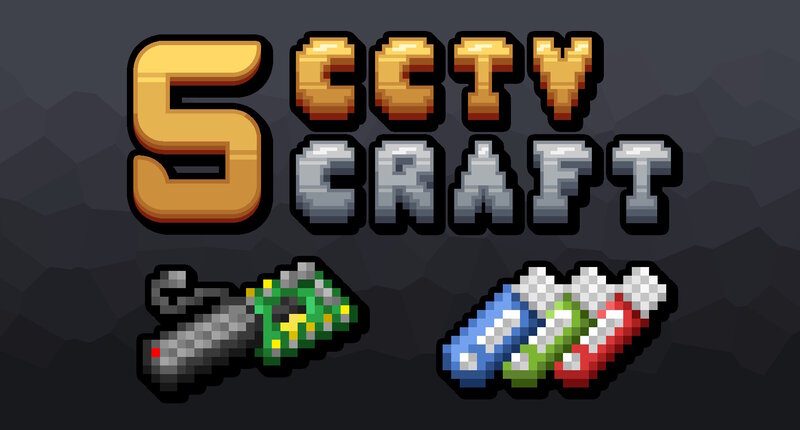
About CCTVCraft CCTVCraft 5 is a Minecraft mod that adds viewable cameras and other security devices to the game. While the mod focuses on enhancing in-game security, it also introduces tools and mechanics to bypass or counter those defences—creating a balanced and dynamic security system. Features Monitors with apps Cameras that can be viewed remotely. Offensive and defensive devices and items. Support for the common namespace eg c:dyes/red Crafting Resources Pinlocks Secure Doors, Hatches and Safes Lockpicking And more to come! Languages As of 5.3.0 the following languages are supported. Please use our GitHub issue tracker for translations for any translation errors or to add support for more languages. Arabic: (ar_sa) Dutch: (nl_nl) English: (en_us) French: (fr_fr) German: (de_de) Portuguese: (pt_pt) Spanish: (es_es) Mod Sites These sites relate directly to my mod and are official pages that I have made. MCreator CurseForge Issue Tracker Wiki Contributions Huge thanks to the following people for their contributions to the mod! SyrupBoy : Contributed to the secure, safe textures in version 5.2.0. News Sound the Alarm Update (5.4.0) NeoForge 1.21.8 New features will be added in th
Added value
What’s included on this page
Preview, categories, compatibility, and tools on this page — not a bare file mirror.
- Creator
- NorthWestTrees
- Source
- Minecraft downloads library on Eaglercraft Studio
- Type
- Minecraft mod
- Price
- Free download on Eaglercraft Studio
- Curation
- Listed with credit to NorthWestTrees · studio preview & install guide
- Game Version
- Minecraft 1.21.8
- Compatible with
- Minecraft Java (match version / loader in facts)
- Tags
- Camera, Mcreator, New Content, Security, Technology
Install guide
How to install this free Minecraft mod
Eaglercraft Studio listing with metadata, creator credit, and loader-aware install guidance.
- 1Download the jar/zip when available.
- 2Install the matching loader (Forge, Fabric, or NeoForge) for your Minecraft version.
- 3Drop the mod into your mods folder, then launch with that profile.
Wrong loader or game version usually crashes on startup — read the facts on this page first.
Related free mods
More curated mods from the same library section.

Pastelmooncrafting15 · 67 diamonds · 20 views

PotatoWolfie · 60 diamonds · 2 views

PotatoWolfie · 53 diamonds · 622 views

Janss_33PL · 47 diamonds · 940 views