
Celestial
Creator: lysticqx · 2026-05-19 · Mods · Free on Eaglercraft Studio
Download Celestial — free Minecraft mod. Created by lysticqx. Tagged aesthetic, blue, celestial, cute. Check the file details for Forge, Fabric, or NeoForge before installing.
Creator notes
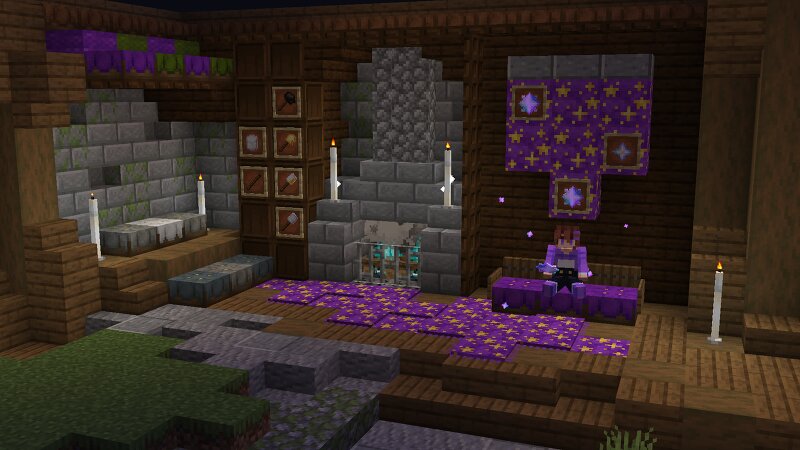
A Minecraft mod about adding new space themed stuff This mod is centred around the wonders of the night sky! Craft fluffy marshmallows to roast over a warm campfire, gaze up at the shooting stars as they rain down upon your world, and discover many more magical features inspired by the beauty of the cosmos! 🌟 Current features: Craftable Marshmallows with a vanilla-friendly Recipe! Marshmallow on a stick - grants the player the ability to roast their marshmallows . Roasting becomes a fun minigame in order to get the best type of marshmallow: Perfectly Roasted ! By roasting over a soul campfire , the marshmallow gains unique properties that allow it to summon the starfall event when eaten at night! The Starfall Event , which when summoned during night causes falling stars to rain down on your world ranging from Starfall I-II depending on the roasted level of the consumed marshmallow Star Item which can be used to craft Star Wool , a decorative block like purple wool, and Star banner pattern which is, well a star banner pattern! Custom useable cushions that match greatly with the vanilla art style of Minecraft, with a vanilla-friendly recipe! Perfect for creating seats for players acr
Added value
What’s included on this page
Preview, categories, compatibility, and tools on this page — not a bare file mirror.
- Creator
- lysticqx
- Source
- Minecraft downloads library on Eaglercraft Studio
- Type
- Minecraft mod
- Price
- Free download on Eaglercraft Studio
- Curation
- Listed with credit to lysticqx · studio preview & install guide
- Game Version
- Minecraft 1.21.1
- Compatible with
- Minecraft Java (match version / loader in facts)
- Tags
- Aesthetic, Blue, Celestial, Cute, Decorations, Marshmallows
Install guide
How to install this free Minecraft mod
Eaglercraft Studio listing with metadata, creator credit, and loader-aware install guidance.
- 1Download the jar/zip when available.
- 2Install the matching loader (Forge, Fabric, or NeoForge) for your Minecraft version.
- 3Drop the mod into your mods folder, then launch with that profile.
Wrong loader or game version usually crashes on startup — read the facts on this page first.
Related free mods
More curated mods from the same library section.

Pastelmooncrafting15 · 67 diamonds · 20 views

PotatoWolfie · 60 diamonds · 2 views

PotatoWolfie · 53 diamonds · 622 views

Janss_33PL · 47 diamonds · 940 views