
Chest Locker addon "Container's Locker Secure Storage"
Creator: shadowGem100k · 2026-02-03 · Mods · Free on Eaglercraft Studio
Download Chest Locker addon "Container's Locker Secure Storage" — free Minecraft mod. Created by shadowGem100k. Tagged other. Check the file details for Forge, Fabric, or NeoForge before installing.
Creator notes
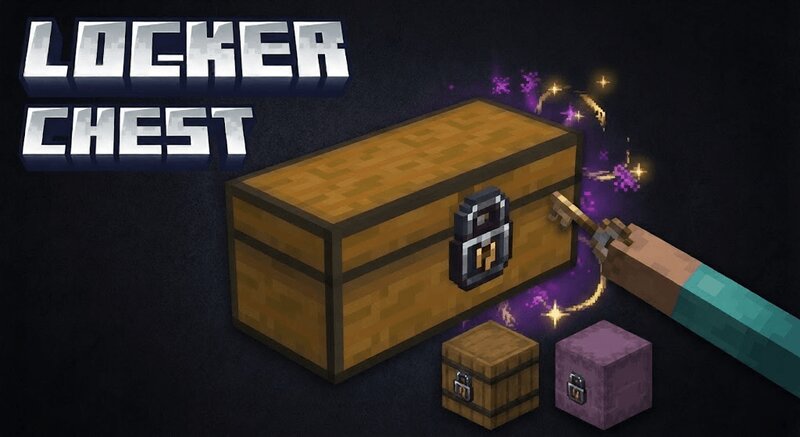
🔐 Advanced Container Locker Addon Secure Storage System for Minecraft Bedrock 1.21+ Advanced Container Locker Addon is a survival focused Minecraft Bedrock security addon that adds a true lock and key system for containers such as chests, barrels, and shulker boxes. It allows players to protect their storage using physical Lock items and uniquely linked Keys, creating real ownership and theft prevention without commands or permissions. If you are searching for a Minecraft Bedrock chest lock addon, container protection mod, lock and key system, or anti theft storage addon, this addon is built to provide a realistic and immersive solution while remaining fully compatible with survival gameplay and SMP servers. 🧠 What This Container Locker Addon Does Players can sneak and interact with a container using a Lock item to secure it. Each locked container is assigned a unique lock ID stored safely in the world. A Key item is automatically generated and linked to that container. Only a matching Key can unlock and open the container. 🔑 Real Lock and Key Mechanics Every container receives a unique lock identifier. Keys store the lock ID using dynamic properties with lore as a backup system. K
Added value
What’s included on this page
Preview, categories, compatibility, and tools on this page — not a bare file mirror.
- Creator
- shadowGem100k
- Source
- Minecraft downloads library on Eaglercraft Studio
- Type
- Minecraft mod
- Price
- Free download on Eaglercraft Studio
- Curation
- Listed with credit to shadowGem100k · studio preview & install guide
- Game Version
- Minecraft 1.21.11
- Compatible with
- Minecraft Java (match version / loader in facts)
- Tags
- Other
Install guide
How to install this free Minecraft mod
Eaglercraft Studio listing with metadata, creator credit, and loader-aware install guidance.
- 1Download the jar/zip when available.
- 2Install the matching loader (Forge, Fabric, or NeoForge) for your Minecraft version.
- 3Drop the mod into your mods folder, then launch with that profile.
Wrong loader or game version usually crashes on startup — read the facts on this page first.
Related free mods
More curated mods from the same library section.

Pastelmooncrafting15 · 67 diamonds · 20 views

PotatoWolfie · 60 diamonds · 2 views

PotatoWolfie · 53 diamonds · 622 views

Janss_33PL · 47 diamonds · 940 views