
ChinjufuMod +JapaneseBlock
Creator: AYUTAKI_Shou02 · 2026-05-14 · Mods · Free on Eaglercraft Studio
Download ChinjufuMod +JapaneseBlock — free Minecraft mod. Created by AYUTAKI_Shou02. Tagged biome, blocks, forge, items. Check the file details for Forge, Fabric, or NeoForge before installing.
Creator notes
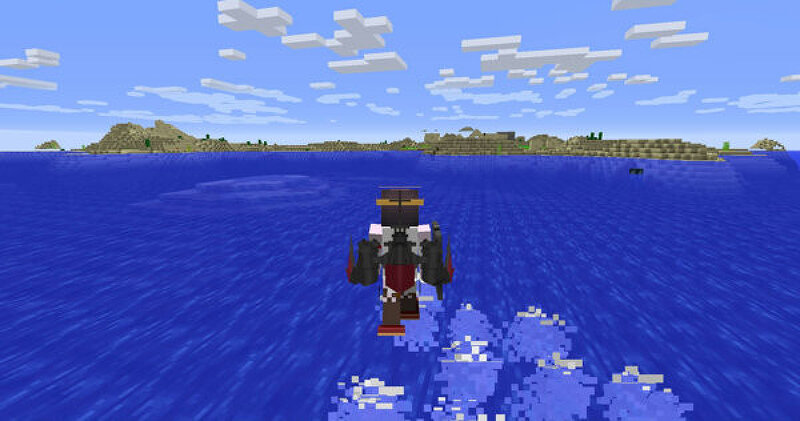
Introduction This is 'KantaiCollection' Fan Mod. You will be able to create KantaiCollection's items, Japanese style decorations, dishes etc. Please put the jar file in Minecraft's mods folder. I think that they can be used in [client / server]. TerraBlender-forge is required when you use ChinjufuMod[1.18.2], ChinjufuMod[1.20.2] and ChinjufuMod[1.20.6] . Latest version ChinjufuMod[neo-1.21.4]8.1.jar (neoforge-21.4.157 and TerraBlender-neoforge-1.21.4-4.3.0.2) ChinjufuMod[1.20.6]8.1.jar (forge-1.20.6-50.2.4 and TerraBlender-forge-1.20.6-3.5.0.5) ChinjufuMod[1.18.2]8.1.jar (forge-1.18.2-40.3.0 and TerraBlender-forge-1.18.2-1.2.0.126) ChinjufuMod[1.16.5]8.1.jar (forge-1.16.5-36.2.34) ChinjufuMod[1.15.2]8.1.jar (forge-1.15.2-31.2.57) ChinjufuMod[1.12.2]8.1.jar (forge-1.12.2-14.23.5.2859) I think that they can be used in [client / server]. [neo-1.21.4]8.1 add Items ・Furnitures ・School ・Crops ・Cooking ・Ferment ・Kitchen ・Cherry,Acer,Ginkgo ・Seasonal Furnitures ・Paddy ・Armor ・Weapon ・Santa Claus ・YUKATA ・Japanese style Decoration ・Japanese style Block ・Wall Panel About Localization It translates into the following 10 languages. It also includes things that need adjustment. ・Jap
Added value
What’s included on this page
Preview, categories, compatibility, and tools on this page — not a bare file mirror.
- Creator
- AYUTAKI_Shou02
- Source
- Minecraft downloads library on Eaglercraft Studio
- Type
- Minecraft mod
- Price
- Free download on Eaglercraft Studio
- Curation
- Listed with credit to AYUTAKI_Shou02 · studio preview & install guide
- Game Version
- Minecraft 1.21.4
- Compatible with
- Minecraft Java (match version / loader in facts)
- Tags
- Biome, Blocks, Forge, Items, Java, Neoforge
Install guide
How to install this free Minecraft mod
Eaglercraft Studio listing with metadata, creator credit, and loader-aware install guidance.
- 1Download the jar/zip when available.
- 2Install the matching loader (Forge, Fabric, or NeoForge) for your Minecraft version.
- 3Drop the mod into your mods folder, then launch with that profile.
Wrong loader or game version usually crashes on startup — read the facts on this page first.
Related free mods
More curated mods from the same library section.

Pastelmooncrafting15 · 67 diamonds · 20 views

PotatoWolfie · 60 diamonds · 2 views

PotatoWolfie · 53 diamonds · 622 views

Janss_33PL · 47 diamonds · 940 views