
Clutter and Homes
Creator: Two-Dee · 2026-08-17 · Mods · Free on Eaglercraft Studio
Download Clutter and Homes — free Minecraft mod. Created by Two-Dee. Tagged new content, structures. Check the file details for Forge, Fabric, or NeoForge before installing.
Creator notes
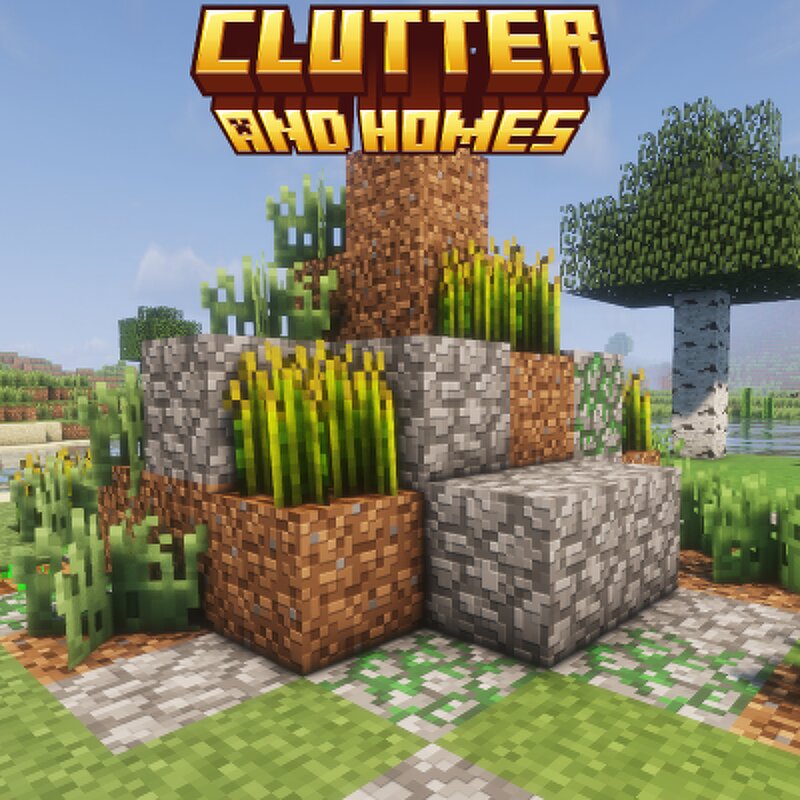
Welcome to Clutter and Homes, my newest structure mod! After learning how to spawn multiple structures under 1 name, I made this! It's a pretty small mod right now but I promise, this'll be Classic Structures deciple! Additions : ARG Home : has 10 variants and is inspired by numerous ARGs where the houses are extremely simple in terms of design inside and out. Home : has 5 variants as well, more fit for living, use them as your new home! Clutter : has 5 variants as well, usually just random clutter in your way (get it?) Desert Ruins : has 5 vars. pretty ominous husks of a lost society... Wild Farms: has 5 vars. pretty great if you need a "pick-me-up" on food or just want a good spot to place a house near for a nearby reliable food source. ______________________________________________________________________________________________ (((To place a structure with a "Structure Block" do /give @s minecraft:structure_block", place it, then put the names in, for example, I want a "Clutter" and its 4th variant so, right click the Structure Block and put "clutter_and_homes:ruins4" then after that, press "LOAD" it will load a wireframe box, the press "LOAD" again, bada-bing, bada-boom, you j
Added value
What’s included on this page
Preview, categories, compatibility, and tools on this page — not a bare file mirror.
- Creator
- Two-Dee
- Source
- Minecraft downloads library on Eaglercraft Studio
- Type
- Minecraft mod
- Price
- Free download on Eaglercraft Studio
- Curation
- Listed with credit to Two-Dee · studio preview & install guide
- Game Version
- Minecraft 1.20.1
- Compatible with
- Minecraft Java (match version / loader in facts)
- Tags
- New Content, Structures
Install guide
How to install this free Minecraft mod
Eaglercraft Studio listing with metadata, creator credit, and loader-aware install guidance.
- 1Download the jar/zip when available.
- 2Install the matching loader (Forge, Fabric, or NeoForge) for your Minecraft version.
- 3Drop the mod into your mods folder, then launch with that profile.
Wrong loader or game version usually crashes on startup — read the facts on this page first.
Related free mods
More curated mods from the same library section.

Pastelmooncrafting15 · 67 diamonds · 20 views

PotatoWolfie · 60 diamonds · 2 views

PotatoWolfie · 53 diamonds · 622 views

Janss_33PL · 47 diamonds · 940 views