
Combine Anything (NeoForge)
Creator: Tigerize · 2025-12-12 · Mods · Free on Eaglercraft Studio
Download Combine Anything (NeoForge) — free Minecraft mod. Created by Tigerize. Tagged other. Check the file details for Forge, Fabric, or NeoForge before installing.
Creator notes
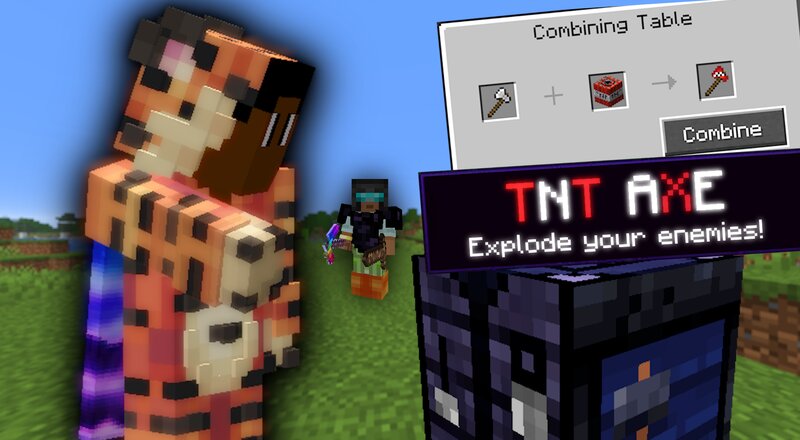
In this video, I try and beat Minecraft or the Ender Dragon, but my friends try and stop me. However, there’s a twist where we can craft a combing table and combine items to create over 30 different custom items. Obviously it’s not anything because that’s just not possible. The mod was so glitchy because it was recently updated from 1.20.1 to 1.21.8. However, don’t worry if you want the mod and it not to be glitchy as I remade it/made sure that none of it is glitchy and you can download it lower down in the description. If you want to give video ideas then join my Discord and drop a suggestion of what you want to see. This Was In Version 1.21.8! If you are a YouTuber and use this, give me credit for the mod! (It would give me a big boost on everything) and it would be VERY helpful to me for just a little plug like who made this. Please) In this video, I try and beat Minecraft or the Ender Dragon, but my friends try and stop me. However, there’s a twist where we can craft a combing table and combine items to create over 30 different custom items. Obviously it’s not anything because that’s just not possible. The mod was so glitchy because it was recently updated from 1.20.1 to 1.21.8
Added value
What’s included on this page
Preview, categories, compatibility, and tools on this page — not a bare file mirror.
- Creator
- Tigerize
- Source
- Minecraft downloads library on Eaglercraft Studio
- Type
- Minecraft mod
- Price
- Free download on Eaglercraft Studio
- Curation
- Listed with credit to Tigerize · studio preview & install guide
- Game Version
- Minecraft 1.21.8
- Compatible with
- Minecraft Java (match version / loader in facts)
- Tags
- Other
Install guide
How to install this free Minecraft mod
Eaglercraft Studio listing with metadata, creator credit, and loader-aware install guidance.
- 1Download the jar/zip when available.
- 2Install the matching loader (Forge, Fabric, or NeoForge) for your Minecraft version.
- 3Drop the mod into your mods folder, then launch with that profile.
Wrong loader or game version usually crashes on startup — read the facts on this page first.
Related free mods
More curated mods from the same library section.

Pastelmooncrafting15 · 67 diamonds · 20 views

PotatoWolfie · 60 diamonds · 2 views

PotatoWolfie · 53 diamonds · 622 views

Janss_33PL · 47 diamonds · 940 views