
Config Search
Creator: FinnDog_123 · 2026-09-28 · Mods · Free on Eaglercraft Studio
Download Config Search — free Minecraft mod. Created by FinnDog_123. Tagged client, config, fabric, functional. Check the file details for Forge, Fabric, or NeoForge before installing.
Creator notes
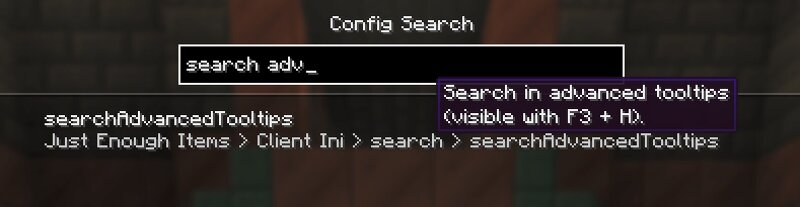
Fabric only, client side. Requires Mod Menu and Fabric API. ABOUT Ever known a mod has a setting for something but not which screen its buried in? Config Search adds a small search button next to the search field on Mod Menu's Mods screen. Here you can search through all configs, results match against option names, tooltips, categories and mod names in your selected language. Clicking a result opens that mod's config screen, jumping straight to the right category where the config library supports it. HOW IT WORKS A magnifier button appears next to Mod Menu's search field. Search runs across every installed mod at once, in your language. Results show the full breadcrumb so you know exactly where a setting lives. Clicking a result opens that mod's config screen, deep linked to the right page where the config library allows it. The index is built the first time you open it and cached, so searching stays snappy. SUPPORTED CONFIG LIBRARIES Config Search reads options directly from the common config libraries: YetAnotherConfigLib (YACL) 3.x Cloth Config MidnightLib Forge Config API Port (1.21.1+) Configured by MrCrayfish (1.20.1 to 1.21.11) Mods using other config libraries or hand writt
Added value
What’s included on this page
Preview, categories, compatibility, and tools on this page — not a bare file mirror.
- Creator
- FinnDog_123
- Source
- Minecraft downloads library on Eaglercraft Studio
- Type
- Minecraft mod
- Price
- Free download on Eaglercraft Studio
- Curation
- Listed with credit to FinnDog_123 · studio preview & install guide
- Game Version
- Minecraft 26.2
- Compatible with
- Minecraft Java (match version / loader in facts)
- Tags
- Client, Config, Fabric, Functional, Modmenu, Search
Install guide
How to install this free Minecraft mod
Eaglercraft Studio listing with metadata, creator credit, and loader-aware install guidance.
- 1Download the jar/zip when available.
- 2Install the matching loader (Forge, Fabric, or NeoForge) for your Minecraft version.
- 3Drop the mod into your mods folder, then launch with that profile.
Wrong loader or game version usually crashes on startup — read the facts on this page first.
Related free mods
More curated mods from the same library section.

Pastelmooncrafting15 · 67 diamonds · 20 views

PotatoWolfie · 60 diamonds · 2 views

PotatoWolfie · 53 diamonds · 622 views

Janss_33PL · 47 diamonds · 940 views