
Crystal Caverns!
Creator: Mrchristmasducky · 2026-07-19 · Mods · Free on Eaglercraft Studio
Download Crystal Caverns! — free Minecraft mod. Created by Mrchristmasducky. Tagged other. Check the file details for Forge, Fabric, or NeoForge before installing.
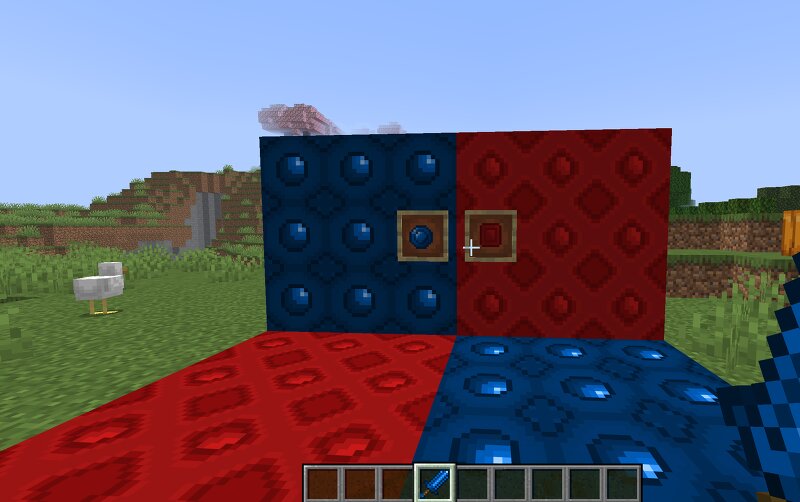
Creator notes
Crystal Caverns Welcome to Crystal Caverns , a Minecraft mod created to bring new adventures, creativity, and discoveries into your world! This mod expands Minecraft with a collection of carefully designed items, blocks, tools, and features that blend with the vanilla experience. Every addition is made with the goal of feeling like it belongs in Minecraft while still giving players new things to explore, craft, and enjoy. Whether you're a builder looking for new decoration options, an explorer searching for powerful new items, or a survival player wanting new challenges, Crystal Caverns adds something exciting to your journey. ✨ Features 🔹 New Items & Blocks Discover new content that gives you more ways to build, craft, and customize your world. 🔹 Custom Tools & Equipment Use unique tools and gear designed with new materials, abilities, and gameplay possibilities. 🔹 Unique Textures Every addition features custom designs made to give the mod its own style and personality. 🔹 Vanilla+ Experience The mod is designed to feel natural alongside Minecraft's existing content, adding more depth without changing the core feeling of the game. 🔹 Creative Building Options Expand your builds with
Added value
What’s included on this page
Preview, categories, compatibility, and tools on this page — not a bare file mirror.
- Creator
- Mrchristmasducky
- Source
- Minecraft downloads library on Eaglercraft Studio
- Type
- Minecraft mod
- Price
- Free download on Eaglercraft Studio
- Curation
- Listed with credit to Mrchristmasducky · studio preview & install guide
- Game Version
- Minecraft 26.1.2
- Compatible with
- Minecraft Java (match version / loader in facts)
- Tags
- Other
Install guide
How to install this free Minecraft mod
Eaglercraft Studio listing with metadata, creator credit, and loader-aware install guidance.
- 1Download the jar/zip when available.
- 2Install the matching loader (Forge, Fabric, or NeoForge) for your Minecraft version.
- 3Drop the mod into your mods folder, then launch with that profile.
Wrong loader or game version usually crashes on startup — read the facts on this page first.
Related free mods
More curated mods from the same library section.

Pastelmooncrafting15 · 67 diamonds · 20 views

PotatoWolfie · 60 diamonds · 2 views

PotatoWolfie · 53 diamonds · 622 views

Janss_33PL · 47 diamonds · 940 views