
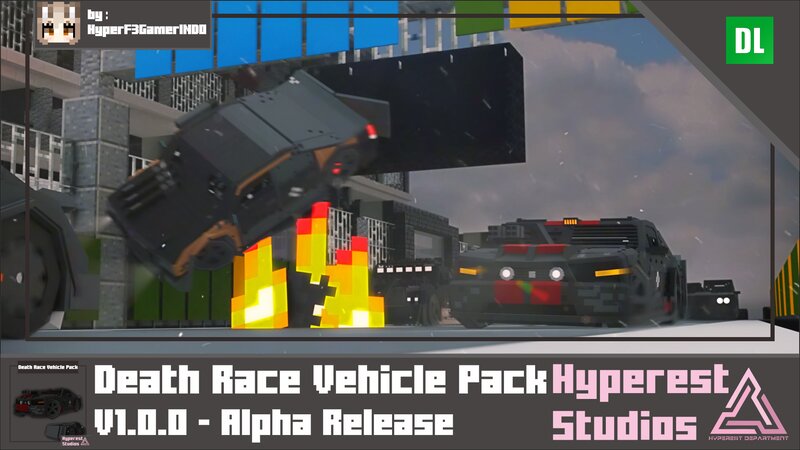
Death Race Vehicle Pack | v1.0.0 Alpha Release
Creator: Hyperest Studios · 2026-01-29 · Mods · Free on Eaglercraft Studio
Download Death Race Vehicle Pack | v1.0.0 Alpha Release — free Minecraft mod. Created by Hyperest Studios. Tagged battle, car, new content, vehicle. Check the file details for Forge, Fabric, or NeoForge before installing.
Creator notes
Looking for a battle car competition? with weapon? welcome to Death Race, where car killing each other's just for survive! Basic Information Death Race Vehicle Pack Basic Specifications Performance: Speed: 5 Blocks/Second. [0.50 Speed] Miscellaneous: Health: 20 Points. Seat count: 2. Wrench: Fixes 1 point to the vehicle. Tweak: Changes the vehicle size. Nitrox2: The blue one is Full Nitrox2. Use it carefully! You can use Nitrox2 only 3 times! So, save it if you really need it. How to use it? Just the same as with a pig! It's a retextured carrot on a stick and fishing rod. Bullets: Battle car without a bullet it's boring, now take this it has 64 stacks so you can shoot it freely! How to use it? Just the same as snowball! Rockets: No explosion? now take this! it only has 1 stack so carefully! How to use it? Just the same as snowball! Commands, Eggs and Colors available to change: /summon hp:dr_ford_mustang_gt [NONE] /summon hp:dr_dodge_ram_1500 [NONE] /summon hp:dr_porsche_911_sc [NONE] /summon hp:dr_chrysler_300_c [NONE] /summon hp:dr_bmw_735i [NONE Death Race Vehicle Pack Visual Toys Scale vs Real Size "Use the Invisibility Potion if you want to ride the Toys Version" Congratu
Added value
What’s included on this page
Preview, categories, compatibility, and tools on this page — not a bare file mirror.
- Creator
- Hyperest Studios
- Source
- Minecraft downloads library on Eaglercraft Studio
- Type
- Minecraft mod
- Price
- Free download on Eaglercraft Studio
- Curation
- Listed with credit to Hyperest Studios · studio preview & install guide
- Game Version
- Minecraft 1.21.11
- Compatible with
- Minecraft Java (match version / loader in facts)
- Tags
- Battle, Car, New Content, Vehicle
Install guide
How to install this free Minecraft mod
Eaglercraft Studio listing with metadata, creator credit, and loader-aware install guidance.
- 1Download the jar/zip when available.
- 2Install the matching loader (Forge, Fabric, or NeoForge) for your Minecraft version.
- 3Drop the mod into your mods folder, then launch with that profile.
Wrong loader or game version usually crashes on startup — read the facts on this page first.
Related free mods
More curated mods from the same library section.

Pastelmooncrafting15 · 67 diamonds · 20 views

PotatoWolfie · 60 diamonds · 2 views

PotatoWolfie · 53 diamonds · 622 views

Janss_33PL · 47 diamonds · 940 views