
Dedicated Musket
Creator: Mas_Daffa · 2026-08-03 · Mods · Free on Eaglercraft Studio
Download Dedicated Musket — free Minecraft mod. Created by Mas_Daffa. Tagged firearm, flintlock, gun, musket. Check the file details for Forge, Fabric, or NeoForge before installing.
Creator notes
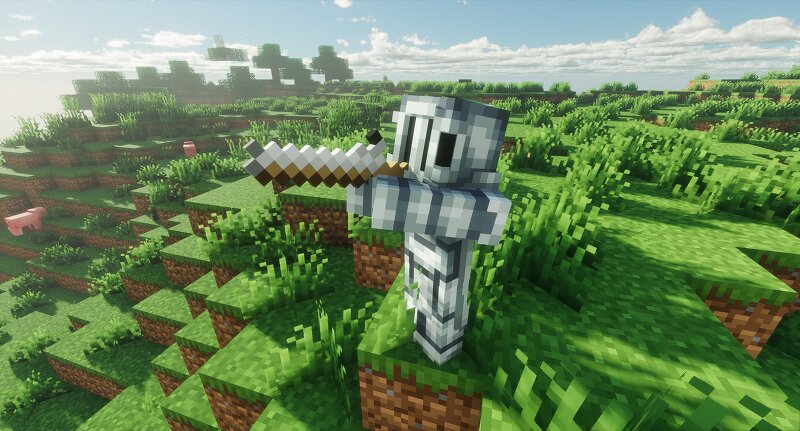
What if Minecraft had a musket? Dedicated Musket is a Fabric mod that adds a single weapon to Minecraft: a slow, powerful, and high-risk flintlock musket. Crafting Recipes Musket Paper Cartridge Musket Cleaning Kit Reloading the Musket The musket can be held in either hand, but using it in the off-hand is recommended. Step 1 > Load the Cartridge Hold the musket in one hand and a Paper Cartridge in the other hand. Right-click to load the cartridge. Step 2 > Ram the Cartridge Replace the Paper Cartridge with a Stick. The Stick acts as a ramrod. Right-click again to ram the cartridge into the barrel. Step 3 > Cock the Musket Right-click once more to cock the musket. Step 4 > Fire Make sure one hand is holding the musket and the other hand is empty. Right-click to fire. Clearing Jams and Fouling Hold the musket in one hand and a Musket Cleaning Kit in the other hand. Right-click to clean the musket. The cleaning kit can: Clear jammed muskets Remove light fouling Remove heavy fouling Each use consumes one durability from the cleaning kit. Realistic Multi-Step Reloading Reloading a musket is a manual process consisting of multiple steps: Load a Paper Cartridge Ram the cartridge using a S
Added value
What’s included on this page
Preview, categories, compatibility, and tools on this page — not a bare file mirror.
- Creator
- Mas_Daffa
- Source
- Minecraft downloads library on Eaglercraft Studio
- Type
- Minecraft mod
- Price
- Free download on Eaglercraft Studio
- Curation
- Listed with credit to Mas_Daffa · studio preview & install guide
- Game Version
- Minecraft 1.21.11
- Compatible with
- Minecraft Java (match version / loader in facts)
- Tags
- Firearm, Flintlock, Gun, Musket, Other
Install guide
How to install this free Minecraft mod
Eaglercraft Studio listing with metadata, creator credit, and loader-aware install guidance.
- 1Download the jar/zip when available.
- 2Install the matching loader (Forge, Fabric, or NeoForge) for your Minecraft version.
- 3Drop the mod into your mods folder, then launch with that profile.
Wrong loader or game version usually crashes on startup — read the facts on this page first.
Related free mods
More curated mods from the same library section.

Pastelmooncrafting15 · 67 diamonds · 20 views

PotatoWolfie · 60 diamonds · 2 views

PotatoWolfie · 53 diamonds · 622 views

Janss_33PL · 47 diamonds · 940 views