
DigDug
Creator: Cob · 2026-03-13 · Mods · Free on Eaglercraft Studio
Download DigDug — free Minecraft mod. Created by Cob. Tagged new content. Check the file details for Forge, Fabric, or NeoForge before installing.
Creator notes
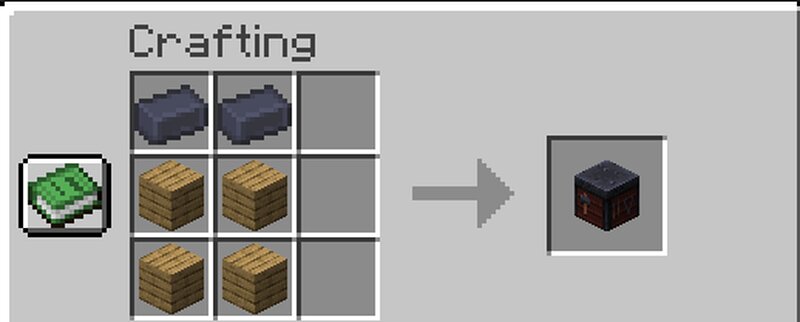
Introduction Mining in Minecraft can get boring at times. You have a pickaxe and you just mine and mine. DigDug aims to change that and even plans to change the armor/tool progression PAST Netherite while still feeling vanilla. With new foods, tools, ores, and even mobs, DigDug tries to ensure you will NEVER be bored while mining. Feedback & Ideas can be sent to smartercob on Discord Ores Witchine Ore A new ore found within the deep swamps of the world. It can only be found in Swamps and Mangrove Swamp biomes from y=64 all the way down to bedrock. This ore can be used alongside a Poisonous Potato & a Fermented Spider Eye to create a Hexed Potato . (More on Hexed Potatoes soon...) Sapphire Ore A new gemstone found in any snow biome, it currently doesn't have a use. However, I do have major plans for it in the future. Boomite Ore A new favorite ore of mine, it can be found ANYWHERE below y=24. When mined or interacted with, it will explode and can cause a chain reaction with other Boomite Ores. When mined, it drops Gunpowder however I do aim to change that. When powered with Redstone, it becomes Charged Boomite Ore which creates a bigger explosion. It can also be used to craft a new
Added value
What’s included on this page
Preview, categories, compatibility, and tools on this page — not a bare file mirror.
- Creator
- Cob
- Source
- Minecraft downloads library on Eaglercraft Studio
- Type
- Minecraft mod
- Price
- Free download on Eaglercraft Studio
- Curation
- Listed with credit to Cob · studio preview & install guide
- Game Version
- Minecraft 1.21.8
- Compatible with
- Minecraft Java (match version / loader in facts)
- Tags
- New Content
Install guide
How to install this free Minecraft mod
Eaglercraft Studio listing with metadata, creator credit, and loader-aware install guidance.
- 1Download the jar/zip when available.
- 2Install the matching loader (Forge, Fabric, or NeoForge) for your Minecraft version.
- 3Drop the mod into your mods folder, then launch with that profile.
Wrong loader or game version usually crashes on startup — read the facts on this page first.
Related free mods
More curated mods from the same library section.

Pastelmooncrafting15 · 67 diamonds · 20 views

PotatoWolfie · 60 diamonds · 2 views

PotatoWolfie · 53 diamonds · 622 views

Janss_33PL · 47 diamonds · 940 views