
DUATAR: Vitamins
Creator: Taso54 · 2026-08-27 · Mods · Free on Eaglercraft Studio
Download DUATAR: Vitamins — free Minecraft mod. Created by Taso54. Tagged food, new content, vitamins. Check the file details for Forge, Fabric, or NeoForge before installing.
Creator notes
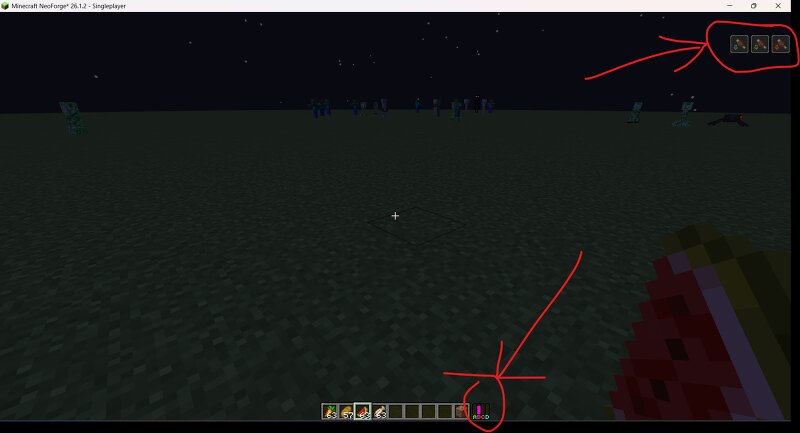
DUATAR: Vitamins expands Minecraft survival with four vitamin groups: "A, B, C, and D". Maintain a balanced diet by eating different vanilla foods, monitor your vitamin levels through the compact HUD, and avoid the consequences of vitamin deficiency. ## Features - Four independent vitamin groups: "A, B, C, and D" - Six levels for each vitamin - Compact, color-coded HUD - 16 supported vanilla foods - Each supported food restores "1 vitamin point" - Item tooltips show which vitamin a food provides - Vitamin foods can be consumed at full hunger when the associated vitamin is not full - Full-hunger consumption does not provide additional hunger or saturation - Persistent per-player vitamin data - Automatic client-server synchronization - Vitamin values reset after death Vitamin Sources Vitamin A - Carrot - Potato - Baked Potato - Beetroot Vitamin B - Cooked Beef - Cooked Porkchop - Cooked Chicken - Cooked Mutton Vitamin C - Apple - Sweet Berries - Melon Slice - Glow Berries Vitamin D - Milk Bucket - Cooked Cod - Cooked Salmon - Cookie " How It Works Every vitamin starts at the maximum value of "6". Vitamin levels gradually decrease approximately every three minutes. Eating a supported
Added value
What’s included on this page
Preview, categories, compatibility, and tools on this page — not a bare file mirror.
- Creator
- Taso54
- Source
- Minecraft downloads library on Eaglercraft Studio
- Type
- Minecraft mod
- Price
- Free download on Eaglercraft Studio
- Curation
- Listed with credit to Taso54 · studio preview & install guide
- Game Version
- Minecraft 26.1.2
- Compatible with
- Minecraft Java (match version / loader in facts)
- Tags
- Food, New Content, Vitamins
Install guide
How to install this free Minecraft mod
Eaglercraft Studio listing with metadata, creator credit, and loader-aware install guidance.
- 1Download the jar/zip when available.
- 2Install the matching loader (Forge, Fabric, or NeoForge) for your Minecraft version.
- 3Drop the mod into your mods folder, then launch with that profile.
Wrong loader or game version usually crashes on startup — read the facts on this page first.
Related free mods
More curated mods from the same library section.

Pastelmooncrafting15 · 67 diamonds · 20 views

PotatoWolfie · 60 diamonds · 2 views

PotatoWolfie · 53 diamonds · 622 views

Janss_33PL · 47 diamonds · 940 views