
Ejderhakral's Football
Creator: Ejderhakral · 2026-07-15 · Mods · Free on Eaglercraft Studio
Download Ejderhakral's Football — free Minecraft mod. Created by Ejderhakral. Tagged ball, boots, card, chip. Check the file details for Forge, Fabric, or NeoForge before installing.
Creator notes
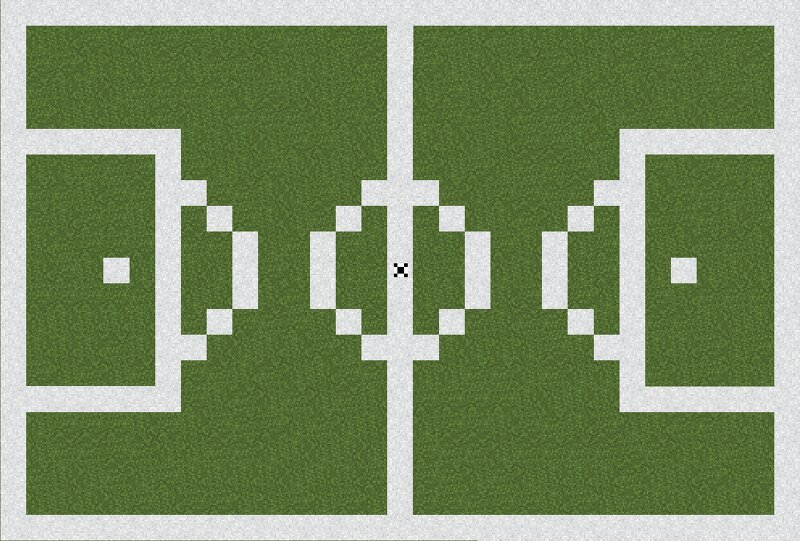
A football mod that adds football features to Minecraft. The main feature is the ability to create pitches that work on real football rules to play real matches with friends! If you have any questions about the mod or issues with the mod please check the description first and if you cant find an answer feel free to ask them in the comments. Have fun! Blocks Trophy: A trophy for decoration. Goal Detector: A non colliding block that can be linked to scoreboard blocks by using a Referee Wand to detect goals and track them. Shift+Right Click them to change which team they score for. Scoreboard: A block that is a hub to connect goal detectors. Tells score and who scored in chat. Shift+Right Click to reset score. Items Football: A football with physics that can be placed by right clicking and played with by either left clicking it or walking on it or hitting it with your head in while its in the air. Can be picked up using right click. Shift while shooting to do a Chip Shot. Red Card: A red card that can be right clicked when in hand to raise/show Yellow Card: A yellow card that can be right clicked when in hand to raise/show Referee Whistle: A whistle that can be used by right clicking
Added value
What’s included on this page
Preview, categories, compatibility, and tools on this page — not a bare file mirror.
- Creator
- Ejderhakral
- Source
- Minecraft downloads library on Eaglercraft Studio
- Type
- Minecraft mod
- Price
- Free download on Eaglercraft Studio
- Curation
- Listed with credit to Ejderhakral · studio preview & install guide
- Game Version
- Minecraft 1.21.1
- Compatible with
- Minecraft Java (match version / loader in facts)
- Tags
- Ball, Boots, Card, Chip, Corner, Creator
Install guide
How to install this free Minecraft mod
Eaglercraft Studio listing with metadata, creator credit, and loader-aware install guidance.
- 1Download the jar/zip when available.
- 2Install the matching loader (Forge, Fabric, or NeoForge) for your Minecraft version.
- 3Drop the mod into your mods folder, then launch with that profile.
Wrong loader or game version usually crashes on startup — read the facts on this page first.
Related free mods
More curated mods from the same library section.

Pastelmooncrafting15 · 67 diamonds · 20 views

PotatoWolfie · 60 diamonds · 2 views

PotatoWolfie · 53 diamonds · 622 views

Janss_33PL · 47 diamonds · 940 views