
Elytra Contrails
Creator: dbrighthd · 2026-03-16 · Mods · Free on Eaglercraft Studio
Download Elytra Contrails — free Minecraft mod. Created by dbrighthd. Tagged aesthetic. Check the file details for Forge, Fabric, or NeoForge before installing.
Creator notes
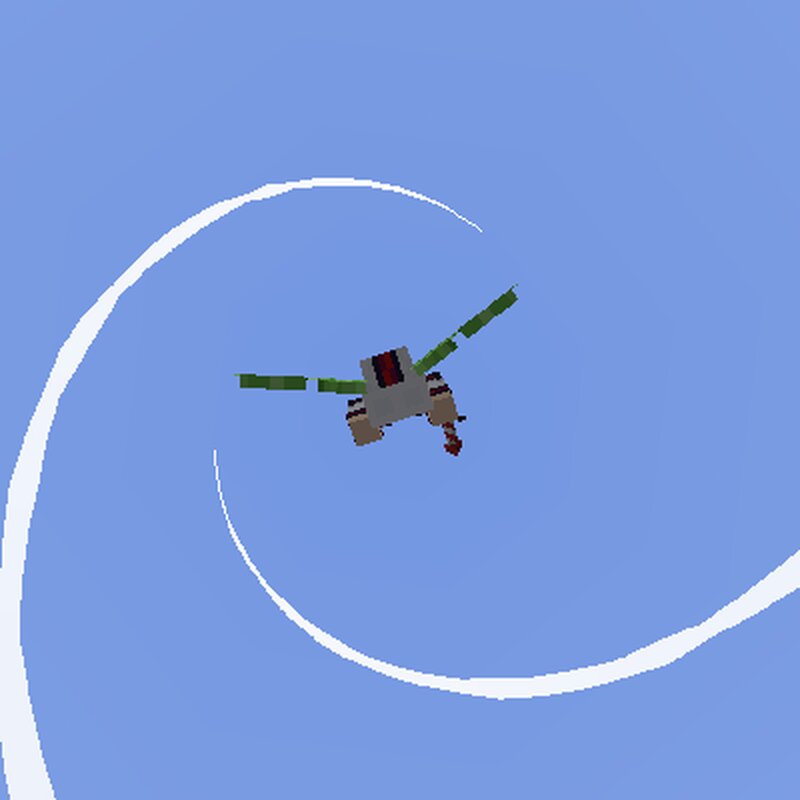
This mod adds realistic-looking contrails coming from the Elytra! Initially I made a resource pack with the same goal, but that didn't look as good, so I made a mod instead! There are many configurable options in this mod, allowing you to change the shape and length of your trail! Lots of customization options! For other players to see other player's customized trails (or their twirling), the mod needs to be installed on the server! There is an option to disable sending your config to the server if you wish to keep your trail settings private for any reason, and seperately there is an option to make it so other players cannot see your trails at all (requires the mod on the server for that to work) Players without the mod will show as the default options set in "Other's Defaults" in the modmenu config.If a server doesn't have the Elytra Contrails mod, you will see every other player as these default settings as well. you can still see your own trails correctly on servers without the mod, but other players won't be able to see them. FOR RESOURCE PACK CREATORS: If you have a custom elytra model using EMF and want that to show accurate trails, create bones (they can be empty) with "lef
Added value
What’s included on this page
Preview, categories, compatibility, and tools on this page — not a bare file mirror.
- Creator
- dbrighthd
- Source
- Minecraft downloads library on Eaglercraft Studio
- Type
- Minecraft mod
- Price
- Free download on Eaglercraft Studio
- Curation
- Listed with credit to dbrighthd · studio preview & install guide
- Game Version
- Minecraft 1.21.11
- Compatible with
- Minecraft Java (match version / loader in facts)
- Tags
- Aesthetic
Install guide
How to install this free Minecraft mod
Eaglercraft Studio listing with metadata, creator credit, and loader-aware install guidance.
- 1Download the jar/zip when available.
- 2Install the matching loader (Forge, Fabric, or NeoForge) for your Minecraft version.
- 3Drop the mod into your mods folder, then launch with that profile.
Wrong loader or game version usually crashes on startup — read the facts on this page first.
Related free mods
More curated mods from the same library section.

Pastelmooncrafting15 · 67 diamonds · 20 views

PotatoWolfie · 60 diamonds · 2 views

PotatoWolfie · 53 diamonds · 622 views

Janss_33PL · 47 diamonds · 940 views