
Embellish | Performance & Animation Mod | 1.12.2 - 26.2
Creator: xsoras · 2026-08-25 · Mods · Free on Eaglercraft Studio
Download Embellish | Performance & Animation Mod | 1.12.2 - 26.2 — free Minecraft mod. Created by xsoras. Tagged animations, api, best, camerashake. Check the file details for Forge, Fabric, or NeoForge before installing.
Creator notes
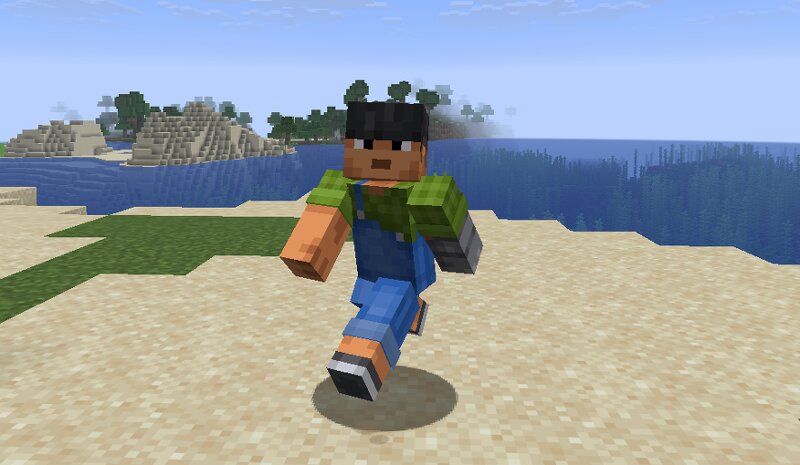
Client side animation and polish, better item poses. Body movement that looks like it has a body in it, and footprints that are actual geometry. Minecraft's animations are fine. theyre also from 2011 and it shows. This reworks how things move without touching how anything plays. Every item gets a grip that suits it so a sword isnt held like a torch, swings carry weight, heavy tools drag a little when you turn. In third person your character leans into a sprint, rides the stride instead of gliding along the floor, gathers on a jump and braces on a landing. swimming and elytra have real shapes. it sits on top of the vanilla walk cycle rather than replacing it, so nothing fights the game. Footprints are geometry on the ground and they fade. landings, water and combat run through one impact system so the effect matches the force behind it. then the small stuff: damage numbers, a durability bar you can read at a glance, break progress, death coords and a compass back to them, xp popups, an fps graph that only shows during an actual stutter. most of it is off until you turn it on. Needs Embellish API . client side only, works on servers, sends nothing. heads up: body animation doesnt wor
Added value
What’s included on this page
Preview, categories, compatibility, and tools on this page — not a bare file mirror.
- Creator
- xsoras
- Source
- Minecraft downloads library on Eaglercraft Studio
- Type
- Minecraft mod
- Price
- Free download on Eaglercraft Studio
- Curation
- Listed with credit to xsoras · studio preview & install guide
- Game Version
- Minecraft 26.2
- Compatible with
- Minecraft Java (match version / loader in facts)
- Tags
- Animations, Api, Best, Camerashake, Candy, Clientside
Install guide
How to install this free Minecraft mod
Eaglercraft Studio listing with metadata, creator credit, and loader-aware install guidance.
- 1Download the jar/zip when available.
- 2Install the matching loader (Forge, Fabric, or NeoForge) for your Minecraft version.
- 3Drop the mod into your mods folder, then launch with that profile.
Wrong loader or game version usually crashes on startup — read the facts on this page first.
Related free mods
More curated mods from the same library section.

Pastelmooncrafting15 · 67 diamonds · 20 views

PotatoWolfie · 60 diamonds · 2 views

PotatoWolfie · 53 diamonds · 622 views

Janss_33PL · 47 diamonds · 940 views