
end stone tools 1.20.1 forge 47.4.20 (tools done right remake)
Creator: theicyphoenix · 2026-07-29 · Mods · Free on Eaglercraft Studio
Download end stone tools 1.20.1 forge 47.4.20 (tools done right remake) — free Minecraft mod. Created by theicyphoenix. Tagged new content. Check the file details for Forge, Fabric, or NeoForge before installing.
Creator notes
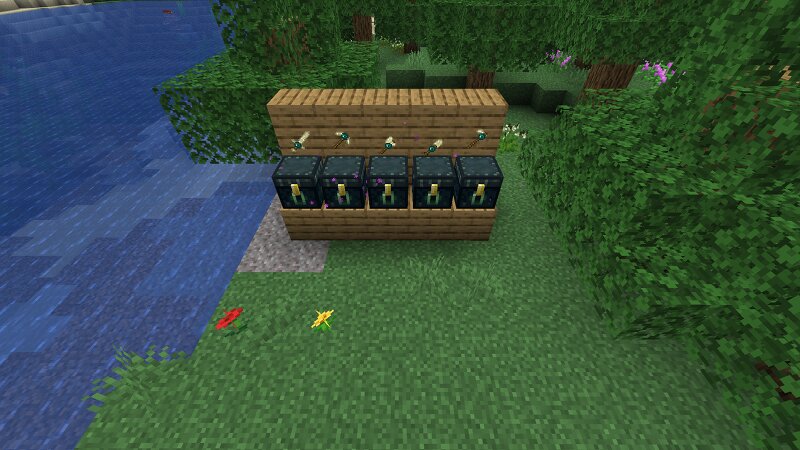
first i want to give credit to jobicade on curseforge,he created a small mod called "tools done right" all way back in 1.7.10 era of modding which along with obsidian and emerald tools also added endstone tools,and he seems to have last been online in 2021 and to this day he has not updated his mod to newer versions so i took it into my own hands to get this to work on 1.20.1 forge 47.4.20 second tho i usually hate ai,mcreator no longer supports forge and since i only wanted 2-3 small mods for myself created,i had to get ai do the code because i simply dont have time to do that just for few small mods,perhaps one day ill trully learn java but for now im stil just a unity code dude completely unable to comprehend java modding without help with stuff like mcreator. with that out of the way i used grok and orcaclient ai for this,but keep in mind i stil got original textures here from original 1.7.10 tools done right,its just that the code itself is ai,first grok wrote it,then i asked orca to compile it into jar because gradle issues couldnt let me even compile it myself and after many hours of struggle i caved in to once again use ai for it. features: anything mined with end stone pic
Added value
What’s included on this page
Preview, categories, compatibility, and tools on this page — not a bare file mirror.
- Creator
- theicyphoenix
- Source
- Minecraft downloads library on Eaglercraft Studio
- Type
- Minecraft mod
- Price
- Free download on Eaglercraft Studio
- Curation
- Listed with credit to theicyphoenix · studio preview & install guide
- Game Version
- Minecraft 1.20.1
- Compatible with
- Minecraft Java (match version / loader in facts)
- Tags
- New Content
Install guide
How to install this free Minecraft mod
Eaglercraft Studio listing with metadata, creator credit, and loader-aware install guidance.
- 1Download the jar/zip when available.
- 2Install the matching loader (Forge, Fabric, or NeoForge) for your Minecraft version.
- 3Drop the mod into your mods folder, then launch with that profile.
Wrong loader or game version usually crashes on startup — read the facts on this page first.
Related free mods
More curated mods from the same library section.

Pastelmooncrafting15 · 67 diamonds · 20 views

PotatoWolfie · 60 diamonds · 2 views

PotatoWolfie · 53 diamonds · 622 views

Janss_33PL · 47 diamonds · 940 views