
Engine Optimizer
Creator: ILikeMod2 · 2026-04-29 · Mods · Free on Eaglercraft Studio
Download Engine Optimizer — free Minecraft mod. Created by ILikeMod2. Tagged other. Check the file details for Forge, Fabric, or NeoForge before installing.
Creator notes
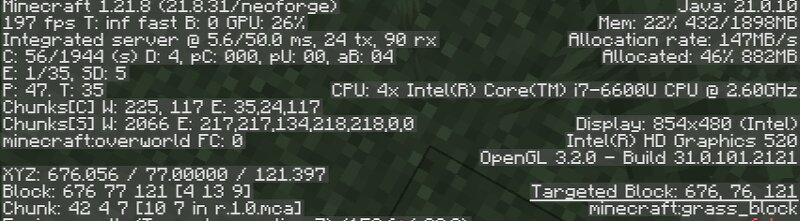
EngineOptimizer: The Ultimate Performance Overhaul EngineOptimizer isn't just another settings-toggle mod. It is a deep-engine optimization tool designed to fix the core bottlenecks that cause stuttering, low FPS, and "micro-freezes" in modern Minecraft. By rewriting how the game handles chunk loading, entity rendering, and background tasks, EngineOptimizer ensures a smooth experience even on low-end hardware.This mod is only for Neoforge 1.21.8. Extra Optimizations To get more fps navigate to options --> video settings and change following:- Fullscreen Resolution: 1280x800 Biome Blend : off Graphics : fast Render distance: lowest possible Simulation distance: lowest possible Chunk builder: threaded Smooth lightning: off Vsync: off Max framerates: Unlimited Clouds: off Fullscreen: on Particles: minimal Entity shadows: off View bobbing: off 🚀 Key Features 1. Intelligent Chunk Priority (Anti-Stutter) Tired of your FPS dropping to 5 when you move into new areas? EngineOptimizer implements Threaded Chunk Loading. It forces the CPU to prioritize the chunks directly in front of you, eliminating the "loading hiccup" and keeping your frame rate stable while traveling. 2. Smart Cave Culling
Added value
What’s included on this page
Preview, categories, compatibility, and tools on this page — not a bare file mirror.
- Creator
- ILikeMod2
- Source
- Minecraft downloads library on Eaglercraft Studio
- Type
- Minecraft mod
- Price
- Free download on Eaglercraft Studio
- Curation
- Listed with credit to ILikeMod2 · studio preview & install guide
- Game Version
- Minecraft 1.21.8
- Compatible with
- Minecraft Java (match version / loader in facts)
- Tags
- Other
Install guide
How to install this free Minecraft mod
Eaglercraft Studio listing with metadata, creator credit, and loader-aware install guidance.
- 1Download the jar/zip when available.
- 2Install the matching loader (Forge, Fabric, or NeoForge) for your Minecraft version.
- 3Drop the mod into your mods folder, then launch with that profile.
Wrong loader or game version usually crashes on startup — read the facts on this page first.
Related free mods
More curated mods from the same library section.

Pastelmooncrafting15 · 67 diamonds · 20 views

PotatoWolfie · 60 diamonds · 2 views

PotatoWolfie · 53 diamonds · 622 views

Janss_33PL · 47 diamonds · 940 views