
Everything Randomizer - MC 26.X
Creator: Lexip029 · 2026-07-31 · Mods · Free on Eaglercraft Studio
Download Everything Randomizer - MC 26.X — free Minecraft mod. Created by Lexip029. Tagged functional, random, randomizer. Check the file details for Forge, Fabric, or NeoForge before installing.
Creator notes
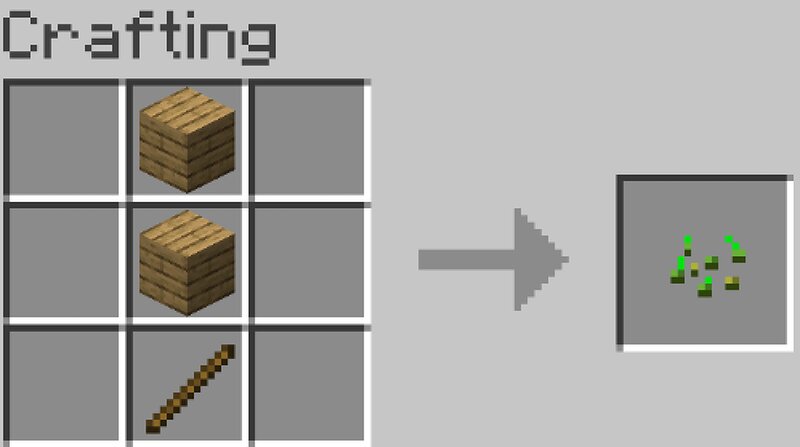
EVERYTHING RANDOMIZER FOR MC 26.X.X (any version between 26.1 and 26.2) This mod allows you to randomize what you want in the game : block and mob drops, crafting, chests, and others (even piglin bartering and fishing!). It's fully customizable , you can select what is random or not - by category (crafting, archaeology, ...) but also by item (for example, you can exclude tools crafting recipes from giving random stuff). The randomization pattern depends on the world , but doesn't change within the same world (for example, zombies will always drop diamonds). It can be seed-based (if enabled, the pattern won't change if you re-create the world with the same seed) or fully random (you'll never get the pattern another time in another world). To customize the randomizer, hit R in-game or go in the mod list, then select this mod and go in the Config tab. There is also a /randomizer command (for ops only) which lets you know how to get a certain item. And don't forget - if you find any bugs (or if you like the mod ;) ), leave a comment !
Added value
What’s included on this page
Preview, categories, compatibility, and tools on this page — not a bare file mirror.
- Creator
- Lexip029
- Source
- Minecraft downloads library on Eaglercraft Studio
- Type
- Minecraft mod
- Price
- Free download on Eaglercraft Studio
- Curation
- Listed with credit to Lexip029 · studio preview & install guide
- Game Version
- Minecraft 26.2
- Compatible with
- Minecraft Java (match version / loader in facts)
- Tags
- Functional, Random, Randomizer
Install guide
How to install this free Minecraft mod
Eaglercraft Studio listing with metadata, creator credit, and loader-aware install guidance.
- 1Download the jar/zip when available.
- 2Install the matching loader (Forge, Fabric, or NeoForge) for your Minecraft version.
- 3Drop the mod into your mods folder, then launch with that profile.
Wrong loader or game version usually crashes on startup — read the facts on this page first.
Related free mods
More curated mods from the same library section.

Pastelmooncrafting15 · 67 diamonds · 20 views

PotatoWolfie · 60 diamonds · 2 views

PotatoWolfie · 53 diamonds · 622 views

Janss_33PL · 47 diamonds · 940 views