
Exotron Beta
Creator: Irisko007 · 2026-09-28 · Mods · Free on Eaglercraft Studio
Download Exotron Beta — free Minecraft mod. Created by Irisko007. Tagged new content. Check the file details for Forge, Fabric, or NeoForge before installing.
Creator notes
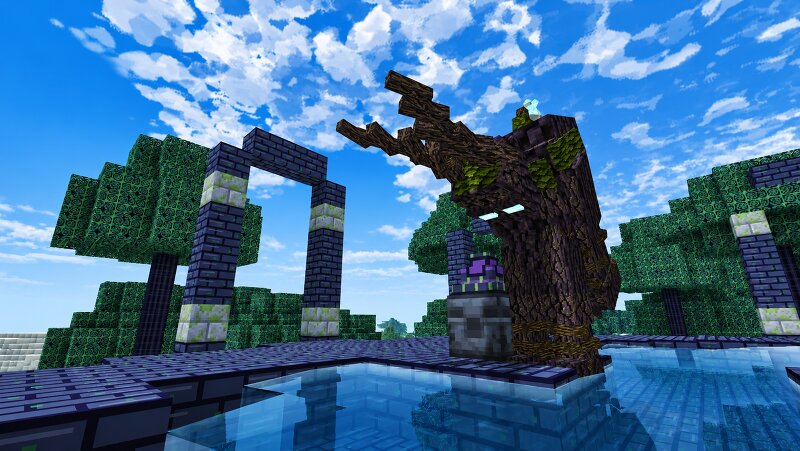
Opus Vs EXE A story-driven adventure mod about a fallen civilization, hostile artificial intelligence, and the mysterious memory-metal known as Opus. Story The artificial intelligence Haiku has destroyed humanity and inherited a world of abandoned machines, ruined settlements, and forgotten technologies. Explore the remnants of the Great War, recover lost memories, and uncover the history of Kimi, Coddy, Haiku, and the Opus metal. Features Five connected progression routes Custom structures, settlements, ruins, and arenas The Fire Realm, Paradise Island, and the Dark Forest Haiku machines from Haiku 1.5 to Haiku Omega Five pilotable EXO frames with energy systems and special abilities Custom weapons, armor, tools, and upgrade paths Unique bosses with phases, abilities, and telegraphed attacks Custom crafting stations and progression recipes 15 Memory Fragments to discover 26 trophies and a final archive advancement Dedicated-server support English and Russian localization JEI integration for custom recipes and recipe transfer Progression Routes The Opus War Recover Memory Fragments, refine Opus, restore lost technology, and fight through the Haiku machine hierarchy. The Fire Realm
Added value
What’s included on this page
Preview, categories, compatibility, and tools on this page — not a bare file mirror.
- Creator
- Irisko007
- Source
- Minecraft downloads library on Eaglercraft Studio
- Type
- Minecraft mod
- Price
- Free download on Eaglercraft Studio
- Curation
- Listed with credit to Irisko007 · studio preview & install guide
- Game Version
- Minecraft 1.20.1
- Compatible with
- Minecraft Java (match version / loader in facts)
- Tags
- New Content
Install guide
How to install this free Minecraft mod
Eaglercraft Studio listing with metadata, creator credit, and loader-aware install guidance.
- 1Download the jar/zip when available.
- 2Install the matching loader (Forge, Fabric, or NeoForge) for your Minecraft version.
- 3Drop the mod into your mods folder, then launch with that profile.
Wrong loader or game version usually crashes on startup — read the facts on this page first.
Related free mods
More curated mods from the same library section.

Pastelmooncrafting15 · 67 diamonds · 20 views

PotatoWolfie · 60 diamonds · 2 views

PotatoWolfie · 53 diamonds · 622 views

Janss_33PL · 47 diamonds · 940 views