
-FØRSAKEN- BLØCKED
Creator: RAGG3D_JAGG3R · 2026-06-05 · Mods · Free on Eaglercraft Studio
Download -FØRSAKEN- BLØCKED — free Minecraft mod. Created by RAGG3D_JAGG3R. Tagged addon, bedrock, blocks, forsaken. Check the file details for Forge, Fabric, or NeoForge before installing.
Creator notes
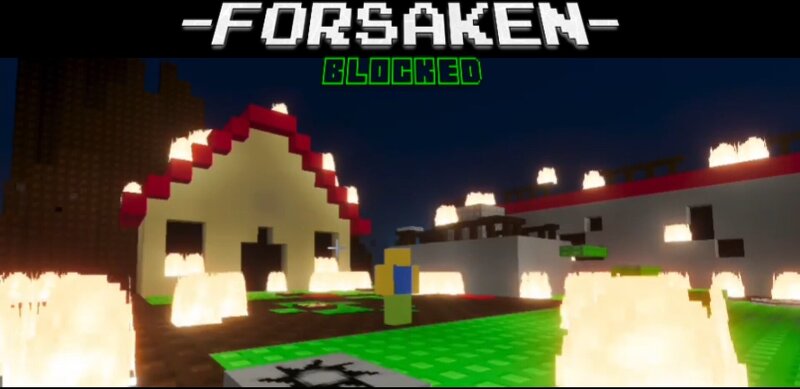
THE OVERWORLD IS OURS TO CONQUER. Ever wanted to build and play forsaken but in a different style than everyone knows from roboox? Something a little more... blocky? The fun is only starting. As it begins spreading. This addon features plentiful and expanding blocks characters and decorations to create expand and spice up your world. Weither that be in creative, or survival. Explore costom biomes and structures aswell as some dangerous figures unknown to the classic terrain of the overworld. Maybe you could even make a friend? Friendship is hard to come by in the such world. Aswell as survival. Thats why youll need more than just a pickaxe to defend yourself. You can morph into characters (survivors or killers), to hunt and kill or defend yourself from every threat you may encounter. Play with friends and help eachother out in the ever expanding threats of the world, or, you can BE that threat in their world. The choice is yours. But the way you live, isnt. Because the world isn't as you know it anymore. It has been FORSAKENED.
Added value
What’s included on this page
Preview, categories, compatibility, and tools on this page — not a bare file mirror.
- Creator
- RAGG3D_JAGG3R
- Source
- Minecraft downloads library on Eaglercraft Studio
- Type
- Minecraft mod
- Price
- Free download on Eaglercraft Studio
- Curation
- Listed with credit to RAGG3D_JAGG3R · studio preview & install guide
- Game Version
- Minecraft 26.1.2
- Compatible with
- Minecraft Java (match version / loader in facts)
- Tags
- Addon, Bedrock, Blocks, Forsaken, Morph, Other
Install guide
How to install this free Minecraft mod
Eaglercraft Studio listing with metadata, creator credit, and loader-aware install guidance.
- 1Download the jar/zip when available.
- 2Install the matching loader (Forge, Fabric, or NeoForge) for your Minecraft version.
- 3Drop the mod into your mods folder, then launch with that profile.
Wrong loader or game version usually crashes on startup — read the facts on this page first.
Related free mods
More curated mods from the same library section.

Pastelmooncrafting15 · 67 diamonds · 20 views

PotatoWolfie · 60 diamonds · 2 views

PotatoWolfie · 53 diamonds · 622 views

Janss_33PL · 47 diamonds · 940 views