
Farmer's Toolkit (Bedrock addon)
Creator: voxelforge · 2026-02-14 · Mods · Free on Eaglercraft Studio
Download Farmer's Toolkit (Bedrock addon) — free Minecraft mod. Created by voxelforge. Tagged addon, bedrock, cottagecore, farm. Check the file details for Forge, Fabric, or NeoForge before installing.
Creator notes
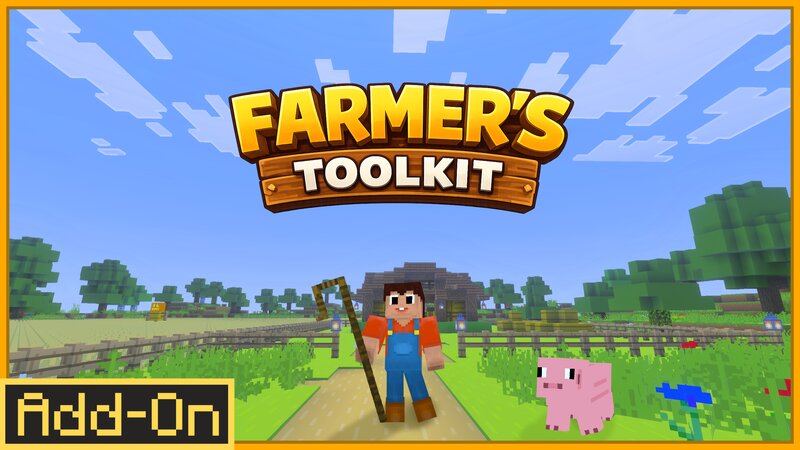
Farmer’s Toolkit Farmer’s Toolkit is a farming expansion that adds practical, immersive tools to improve animal handling and everyday agriculture in Minecraft. Whether you're running a small homestead or building a massive ranch, this addon gives you better control over your livestock and farming workflow. New Items Shepherd’s Crook Move animals with precision. Gently push or pull livestock to where you actually want them. No more chaotic herding or awkward nudging. Perfect for: Organizing pens Loading animals into transport Adjusting mob positioning Building cleaner, more controlled farms Crafting The Shepherds crook can be crafted with sticks and planks --- Sickle Harvest smarter, not harder. The Sickle lets you harvest fully grown wheat without breaking the crop. Instead of destroying the plant and forcing you to replant, the Sickle cuts it back down to the first growth stage Perfect for: Large wheat fields Survival farms Reducing repetitive replanting No more constant seed replanting. No more uneven crop patches. Just smooth, efficient farming. Crafting The sickle can be crafted with iron ingots and sticks --- Livestock Transport Crate Transport animals safely and cleanly. No l
Added value
What’s included on this page
Preview, categories, compatibility, and tools on this page — not a bare file mirror.
- Creator
- voxelforge
- Source
- Minecraft downloads library on Eaglercraft Studio
- Type
- Minecraft mod
- Price
- Free download on Eaglercraft Studio
- Curation
- Listed with credit to voxelforge · studio preview & install guide
- Game Version
- Minecraft 26.1
- Compatible with
- Minecraft Java (match version / loader in facts)
- Tags
- Addon, Bedrock, Cottagecore, Farm, Farming, New Content
Install guide
How to install this free Minecraft mod
Eaglercraft Studio listing with metadata, creator credit, and loader-aware install guidance.
- 1Download the jar/zip when available.
- 2Install the matching loader (Forge, Fabric, or NeoForge) for your Minecraft version.
- 3Drop the mod into your mods folder, then launch with that profile.
Wrong loader or game version usually crashes on startup — read the facts on this page first.
Related free mods
More curated mods from the same library section.

Pastelmooncrafting15 · 67 diamonds · 20 views

PotatoWolfie · 60 diamonds · 2 views

PotatoWolfie · 53 diamonds · 622 views

Janss_33PL · 47 diamonds · 940 views