
Flood
Creator: Jumedista · 2026-07-19 · Mods · Free on Eaglercraft Studio
Download Flood — free Minecraft mod. Created by Jumedista. Tagged functional. Check the file details for Forge, Fabric, or NeoForge before installing.
Creator notes
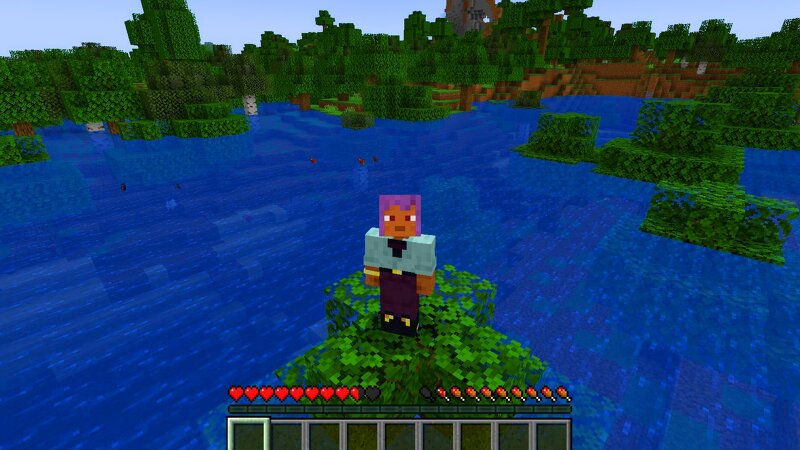
Flood Mod Flood Mod introduces a dynamic flood event system that allows players to start and stop large-scale water floods through simple commands. When activated, the flood begins five blocks below the player's current position and gradually expands upward, creating a massive 250x250 block flooded area around the starting point. The flood rises over time, adding new water levels every 30 seconds until reaching its maximum height. All water placed by the mod is tracked, allowing players to safely stop the event at any moment with the stop command, which removes the generated flood water and resets the system for future use. While the flood is active, any living entities, including players and mobs, that remain in contact with the flood water will receive drowning damage over time. The mod is designed to create dynamic survival challenges, environmental events, and custom scenarios without permanently altering the world. Commands: /flood start - Starts the flood 5 blocks below your current position. /flood stop - Stops the flood and removes all flood water. /mod help - Displays the available Flood Mod commands. Flood Mod is a lightweight server-friendly event system focused on creat
Added value
What’s included on this page
Preview, categories, compatibility, and tools on this page — not a bare file mirror.
- Creator
- Jumedista
- Source
- Minecraft downloads library on Eaglercraft Studio
- Type
- Minecraft mod
- Price
- Free download on Eaglercraft Studio
- Curation
- Listed with credit to Jumedista · studio preview & install guide
- Game Version
- Minecraft 1.21.1
- Compatible with
- Minecraft Java (match version / loader in facts)
- Tags
- Functional
Install guide
How to install this free Minecraft mod
Eaglercraft Studio listing with metadata, creator credit, and loader-aware install guidance.
- 1Download the jar/zip when available.
- 2Install the matching loader (Forge, Fabric, or NeoForge) for your Minecraft version.
- 3Drop the mod into your mods folder, then launch with that profile.
Wrong loader or game version usually crashes on startup — read the facts on this page first.
Related free mods
More curated mods from the same library section.

Pastelmooncrafting15 · 67 diamonds · 20 views

PotatoWolfie · 60 diamonds · 2 views

PotatoWolfie · 53 diamonds · 622 views

Janss_33PL · 47 diamonds · 940 views