
Fly Speed Modifier
Creator: lyuwenhan · 2026-07-20 · Mods · Free on Eaglercraft Studio
Download Fly Speed Modifier — free Minecraft mod. Created by lyuwenhan. Tagged functional. Check the file details for Forge, Fabric, or NeoForge before installing.
Creator notes
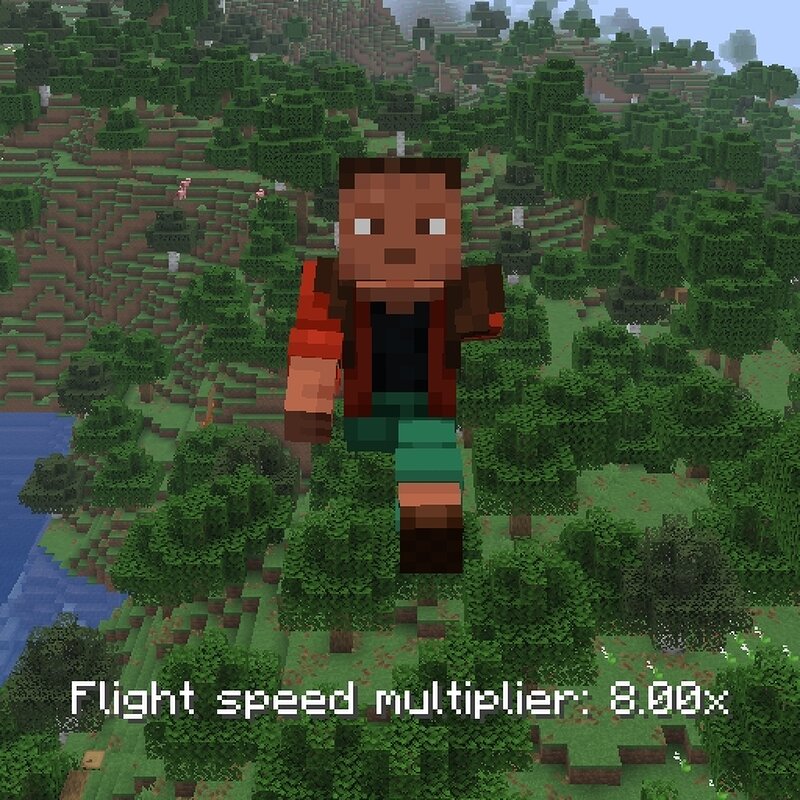
Languages EN/English | ZH-CN/简体中文 Fly Speed Modifier A client-side Fabric mod that lets you hold a key and scroll the mouse wheel to temporarily adjust the current movement speed multiplier. Features Adjusts Vanilla Creative Flight speed Adjusts Freecam movement speed when Freecam is installed and active Optionally applies the same multiplier to other client-controlled movement Hold the adjustment key and scroll the mouse wheel to change the multiplier Supports configurable minimum, maximum, default multiplier, and scroll step values Supports optionally resetting the multiplier when adjustment starts Full Range mode raises the available maximum from 20x to 100x Uses non-linear mouse-wheel multiplier adjustment Uses Left Alt as the default adjustment key Usage Enter a supported movement state, such as Creative Flight, Freecam, or a supported movement mode with Apply to Other Movement enabled. Hold Left Alt. Scroll the mouse wheel to change the multiplier. The current value is shown as Speed multiplier: 2.00x in English or the corresponding translated text for the selected game language. Configuration Full Range Disabled by default Disabled: maximum available multiplier is 20x Enable
Added value
What’s included on this page
Preview, categories, compatibility, and tools on this page — not a bare file mirror.
- Creator
- lyuwenhan
- Source
- Minecraft downloads library on Eaglercraft Studio
- Type
- Minecraft mod
- Price
- Free download on Eaglercraft Studio
- Curation
- Listed with credit to lyuwenhan · studio preview & install guide
- Game Version
- Minecraft 26.3 snapshot
- Compatible with
- Minecraft Java (match version / loader in facts)
- Tags
- Functional
Install guide
How to install this free Minecraft mod
Eaglercraft Studio listing with metadata, creator credit, and loader-aware install guidance.
- 1Download the jar/zip when available.
- 2Install the matching loader (Forge, Fabric, or NeoForge) for your Minecraft version.
- 3Drop the mod into your mods folder, then launch with that profile.
Wrong loader or game version usually crashes on startup — read the facts on this page first.
Related free mods
More curated mods from the same library section.

Pastelmooncrafting15 · 67 diamonds · 20 views

PotatoWolfie · 60 diamonds · 2 views

PotatoWolfie · 53 diamonds · 622 views

Janss_33PL · 47 diamonds · 940 views