
Flybrain AI
Creator: darksusamogus · 2026-09-10 · Mods · Free on Eaglercraft Studio
Download Flybrain AI — free Minecraft mod. Created by darksusamogus. Tagged other. Check the file details for Forge, Fabric, or NeoForge before installing.
Creator notes
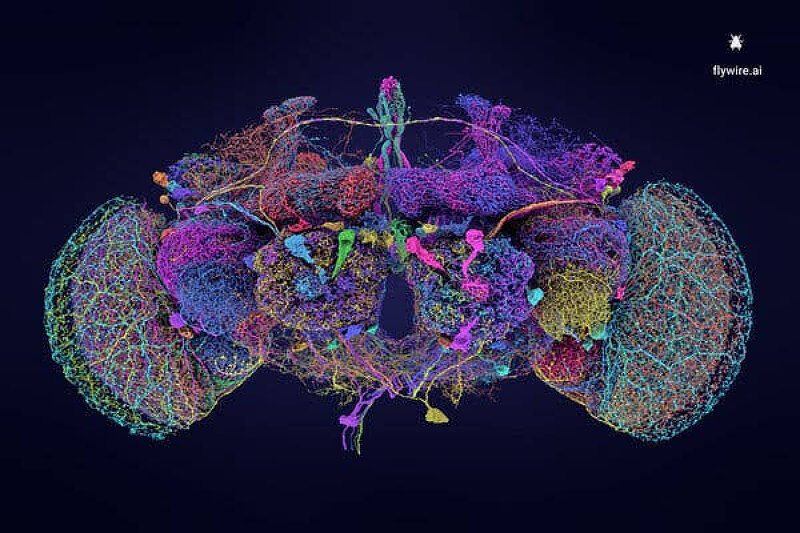
I replaced Minecraft’s mob AI with a biologically accurate Fruit Fly ( Drosophila ) Spiking Neural Network (SNN) I’ve been working on a custom Fabric mod called FlyBrainAi that completely replaces the vanilla, blocky Minecraft pathfinding with a biological Spiking Neural Network (SNN) inspired by the Drosophila melanogaster (fruit fly) connectome. Instead of standard A* pathfinding and static Goal logic, mobs now operate purely on membrane potentials, leaky integrate-and-fire (LIF) neurons, and multi-sensory feedback loops . Key Features: Saccades & Chaotic Kinematics: Mobs no longer walk in straight, robotic paths. They navigate using sharp micro-angle deviations ( saccades ), sudden jittering when idle due to simulated neural noise, and instant directional lunges. Realistic FOV & Occlusion Raycasting: Mobs have a restricted 120° visual field. If you sneak up directly behind them or hide behind blocks, they won't magically know where you are. Looming Stimulus & Panics: Close-range threats trigger an instantaneous escape jump ( looming response ), bypassing high-level decision-making for raw instinct. Auditory & Tactile Perception: Sprinting near mobs builds sensory voltage even ou
Added value
What’s included on this page
Preview, categories, compatibility, and tools on this page — not a bare file mirror.
- Creator
- darksusamogus
- Source
- Minecraft downloads library on Eaglercraft Studio
- Type
- Minecraft mod
- Price
- Free download on Eaglercraft Studio
- Curation
- Listed with credit to darksusamogus · studio preview & install guide
- Game Version
- Minecraft 26.2
- Compatible with
- Minecraft Java (match version / loader in facts)
- Tags
- Other
Install guide
How to install this free Minecraft mod
Eaglercraft Studio listing with metadata, creator credit, and loader-aware install guidance.
- 1Download the jar/zip when available.
- 2Install the matching loader (Forge, Fabric, or NeoForge) for your Minecraft version.
- 3Drop the mod into your mods folder, then launch with that profile.
Wrong loader or game version usually crashes on startup — read the facts on this page first.
Related free mods
More curated mods from the same library section.

Pastelmooncrafting15 · 67 diamonds · 20 views

PotatoWolfie · 60 diamonds · 2 views

PotatoWolfie · 53 diamonds · 622 views

Janss_33PL · 47 diamonds · 940 views