
Food Shuffle
Creator: Mokey Crue · 2026-08-01 · Mods · Free on Eaglercraft Studio
Download Food Shuffle — free Minecraft mod. Created by Mokey Crue. Tagged foodshuffle, minecraft, minecraftmods, other. Check the file details for Forge, Fabric, or NeoForge before installing.
Creator notes
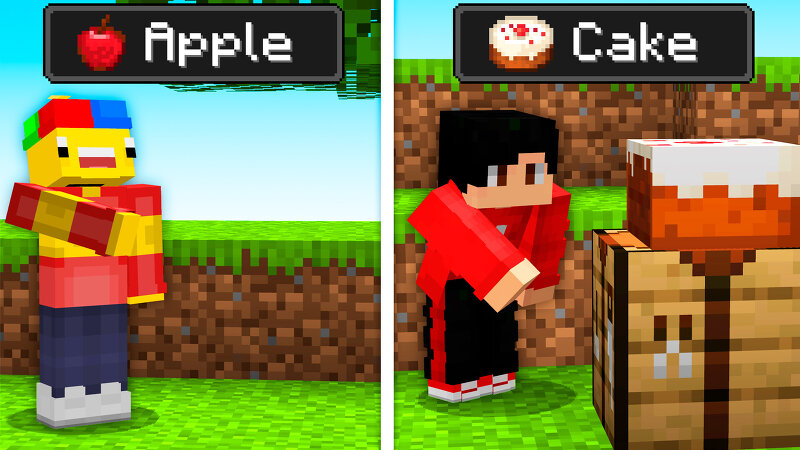
🍗 Mokey Mod: Food Shuffle — The Mod That Turns Your Hunger Into Survival Picture this: you're calmly exploring the world when suddenly a pink bar appears at the top of your screen — "Find or Craft: Pumpkin Pie" And the worst part: it's shrinking. If you don't eat the right food before it hits zero... lightning strikes you down. Food Shuffle is a mod for Minecraft 1.21.1 that turns any multiplayer session into an individual race against time (and hunger). Every player is given, at the same time, a different random food item to find or craft — and only those who manage to eat the correct item before their bar runs out will survive. ⚙️ How It Works When a match starts, the mod individually randomizes a food item for every online player (drawn from all the food items in the game) and shows a pink, notched boss bar above each player's screen, displaying the name of the food they need to consume. Targets are re-rolled every round, so no one knows what they'll get next. If a player eats the correct food in time, they're marked as "saved" and move on in the match. If their bar hits zero before that, they're eliminated — struck down by a lightning bolt from FoodShuffle itself. The last play
Added value
What’s included on this page
Preview, categories, compatibility, and tools on this page — not a bare file mirror.
- Creator
- Mokey Crue
- Source
- Minecraft downloads library on Eaglercraft Studio
- Type
- Minecraft mod
- Price
- Free download on Eaglercraft Studio
- Curation
- Listed with credit to Mokey Crue · studio preview & install guide
- Game Version
- Minecraft 1.21.1
- Compatible with
- Minecraft Java (match version / loader in facts)
- Tags
- Foodshuffle, Minecraft, Minecraftmods, Other
Install guide
How to install this free Minecraft mod
Eaglercraft Studio listing with metadata, creator credit, and loader-aware install guidance.
- 1Download the jar/zip when available.
- 2Install the matching loader (Forge, Fabric, or NeoForge) for your Minecraft version.
- 3Drop the mod into your mods folder, then launch with that profile.
Wrong loader or game version usually crashes on startup — read the facts on this page first.
Related free mods
More curated mods from the same library section.

Pastelmooncrafting15 · 67 diamonds · 20 views

PotatoWolfie · 60 diamonds · 2 views

PotatoWolfie · 53 diamonds · 622 views

Janss_33PL · 47 diamonds · 940 views