
Funko Box
Creator: Mint Studios · 2025-11-01 · Mods · Free on Eaglercraft Studio
Download Funko Box — free Minecraft mod. Created by Mint Studios. Tagged bedrock, funkos, mcpe, mod. Check the file details for Forge, Fabric, or NeoForge before installing.
Creator notes
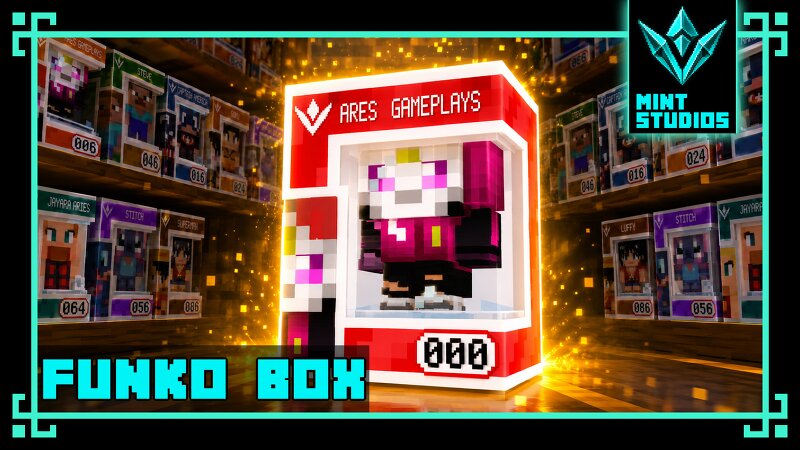
🎁 Funko Box Addon ⚠️ Important Notice - It is no longer compatible with earlier versions of this same add-on. It’s recommended to install this addon in new worlds. In old worlds, some Funko figures may appear inside already-looted chests. Also, this addon is compatible with any structure addon , thanks to its internal system that dynamically generates Funkos in random chests across your world. 🧩 Main Features 🎯 Collect Them All! Funko Box Addon introduces 176 collectible Funko-style figures , divided into 22 themed collections of 8 characters each. Every figure is unique, carefully designed, and hidden throughout the Minecraft world, waiting to be discovered inside naturally generated chests and barrels . ✨ Advanced Loot Integration The addon integrates seamlessly with Minecraft’s loot generation system — meaning Funkos can appear in any chest or barrel , from dungeons to villages, without modifying the structure files. ⚙️ Compatibility ✅ Works with the latest and past versions of Minecraft Bedrock Edition ✅ No experimental toggles required ✅ Achievements remain enabled ✅ Fully compatible with structure addons 📥 Installation Guide Download the Addon File: If the file has the .mcadd
Added value
What’s included on this page
Preview, categories, compatibility, and tools on this page — not a bare file mirror.
- Creator
- Mint Studios
- Source
- Minecraft downloads library on Eaglercraft Studio
- Type
- Minecraft mod
- Price
- Free download on Eaglercraft Studio
- Curation
- Listed with credit to Mint Studios · studio preview & install guide
- Game Version
- Minecraft 26.2
- Compatible with
- Minecraft Java (match version / loader in facts)
- Tags
- Bedrock, Funkos, Mcpe, Mod, New Content, V1 2
Install guide
How to install this free Minecraft mod
Eaglercraft Studio listing with metadata, creator credit, and loader-aware install guidance.
- 1Download the jar/zip when available.
- 2Install the matching loader (Forge, Fabric, or NeoForge) for your Minecraft version.
- 3Drop the mod into your mods folder, then launch with that profile.
Wrong loader or game version usually crashes on startup — read the facts on this page first.
Related free mods
More curated mods from the same library section.

Pastelmooncrafting15 · 67 diamonds · 20 views

PotatoWolfie · 60 diamonds · 2 views

PotatoWolfie · 53 diamonds · 622 views

Janss_33PL · 47 diamonds · 940 views