
Gathering Grounds
Creator: FliamL · 2026-08-16 · Mods · Free on Eaglercraft Studio
Download Gathering Grounds — free Minecraft mod. Created by FliamL. Tagged brewing, flowers, new content, plants. Check the file details for Forge, Fabric, or NeoForge before installing.
Creator notes
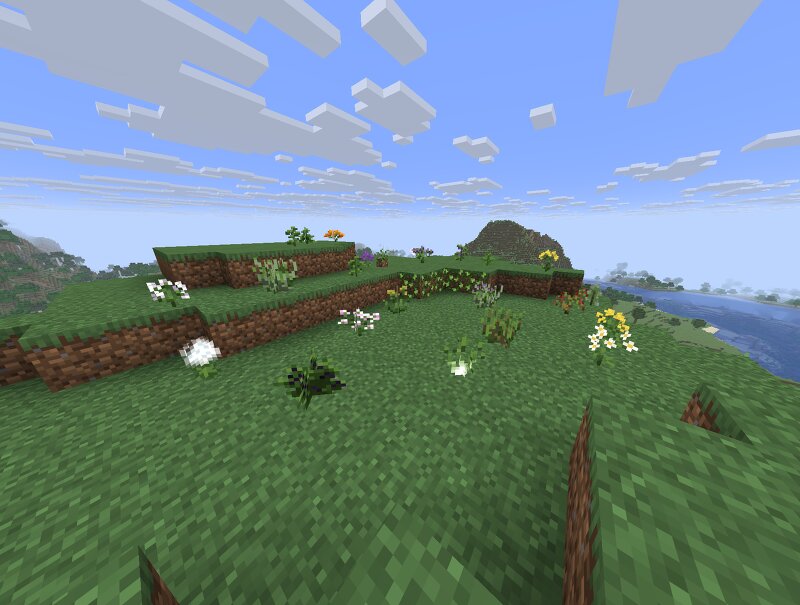
For a detailed description of all currently available plants, please refer to the GitHub page. Gathering Grounds Github Repository Gathering Grounds Gathering Grounds is a Minecraft mod developed as part of a PhD research project in collaboration with a PhD student and graphic designer. It expands Minecraft's natural world by introducing real-world flowers inspired by regional species and their traditional uses. Explore your world to discover new flowers that naturally generate across different biomes. Gather them to craft, cook, and experiment with unique recipes and gameplay mechanics that encourage exploration and discovery. Features New naturally spawning flowers Flowers inspired by real-world plants and traditional knowledge Custom crafting and cooking recipes Vanilla-friendly world generation Seamless integration with Minecraft's gameplay About the Project Gathering Grounds explores how real-world botanical, agricultural, and cultural knowledge can be translated into Minecraft. Rather than simply adding decorative plants, the mod encourages players to discover how each flower can be used through exploration and experimentation, creating a richer and more immersive gameplay ex
Added value
What’s included on this page
Preview, categories, compatibility, and tools on this page — not a bare file mirror.
- Creator
- FliamL
- Source
- Minecraft downloads library on Eaglercraft Studio
- Type
- Minecraft mod
- Price
- Free download on Eaglercraft Studio
- Curation
- Listed with credit to FliamL · studio preview & install guide
- Game Version
- Minecraft 26.2
- Compatible with
- Minecraft Java (match version / loader in facts)
- Tags
- Brewing, Flowers, New Content, Plants, Recipe
Install guide
How to install this free Minecraft mod
Eaglercraft Studio listing with metadata, creator credit, and loader-aware install guidance.
- 1Download the jar/zip when available.
- 2Install the matching loader (Forge, Fabric, or NeoForge) for your Minecraft version.
- 3Drop the mod into your mods folder, then launch with that profile.
Wrong loader or game version usually crashes on startup — read the facts on this page first.
Related free mods
More curated mods from the same library section.

Pastelmooncrafting15 · 67 diamonds · 20 views

PotatoWolfie · 60 diamonds · 2 views

PotatoWolfie · 53 diamonds · 622 views

Janss_33PL · 47 diamonds · 940 views