
Giganium expansion mod
Creator: dinkydinky · 2025-12-06 · Mods · Free on Eaglercraft Studio
Download Giganium expansion mod — free Minecraft mod. Created by dinkydinky. Tagged other. Check the file details for Forge, Fabric, or NeoForge before installing.
Creator notes
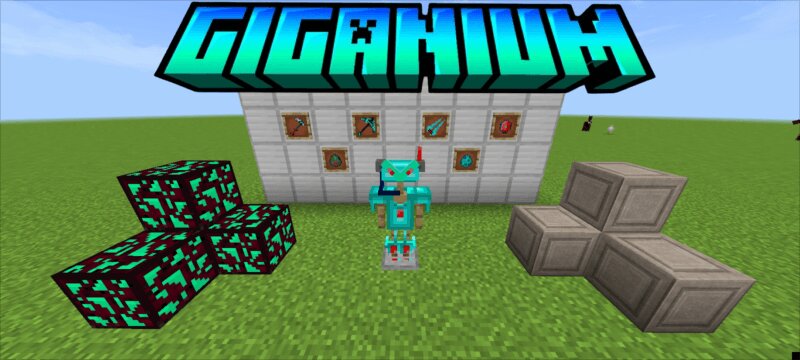
Giganium Expansion is a futuristic Minecraft PE/Bedrock add‑on that turns the late game into a sci‑fi adventure by introducing a new biome, ore, mobs, and armor set inspired by advanced technology. It adds the Giganium Lands, a rare dimension‑like biome where the terrain is infused with glowing energy, strange vegetation, and mechanical structures, making exploration feel very different from normal overworld or Nether travel. Within this biome, players can mine Giganium, a powerful end‑game ore that becomes the foundation of the add‑on’s progression and is required for crafting the new gear. Using Giganium, players can craft cyber‑themed armor that is designed to outperform traditional Netherite equipment, offering higher durability and excellent protection while giving the character a sleek, high‑tech appearance. The biome is also populated with new entities such as robotic traders or hostile machines (depending on the version of the add‑on), which makes survival more challenging and gives players fresh combat encounters beyond vanilla mobs. Overall, Giganium Expansion is aimed at players who have already beaten most of the standard game and want a high‑power, sci‑fi flavored upgr
Added value
What’s included on this page
Preview, categories, compatibility, and tools on this page — not a bare file mirror.
- Creator
- dinkydinky
- Source
- Minecraft downloads library on Eaglercraft Studio
- Type
- Minecraft mod
- Price
- Free download on Eaglercraft Studio
- Curation
- Listed with credit to dinkydinky · studio preview & install guide
- Game Version
- Minecraft 1.21
- Compatible with
- Minecraft Java (match version / loader in facts)
- Tags
- Other
Install guide
How to install this free Minecraft mod
Eaglercraft Studio listing with metadata, creator credit, and loader-aware install guidance.
- 1Download the jar/zip when available.
- 2Install the matching loader (Forge, Fabric, or NeoForge) for your Minecraft version.
- 3Drop the mod into your mods folder, then launch with that profile.
Wrong loader or game version usually crashes on startup — read the facts on this page first.
Related free mods
More curated mods from the same library section.

Pastelmooncrafting15 · 67 diamonds · 20 views

PotatoWolfie · 60 diamonds · 2 views

PotatoWolfie · 53 diamonds · 622 views

Janss_33PL · 47 diamonds · 940 views