
Glass Drops Always
Creator: marcsanz-dev · 2026-02-21 · Mods · Free on Eaglercraft Studio
Download Glass Drops Always — free Minecraft mod. Created by marcsanz-dev. Tagged functional. Check the file details for Forge, Fabric, or NeoForge before installing.
Creator notes
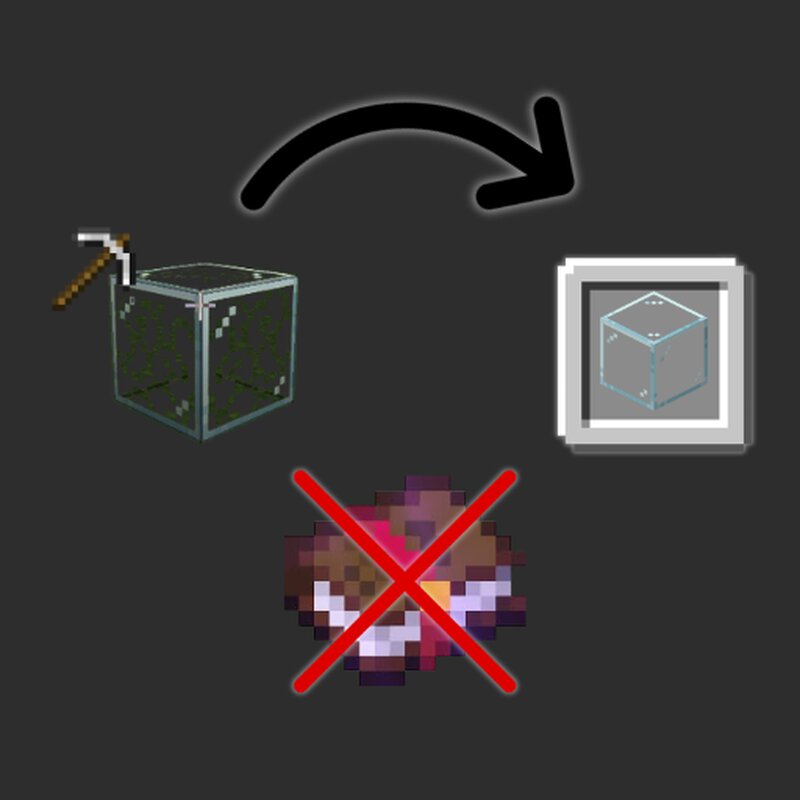
Glass Drops Always Recover your glass. Always. No exceptions. 💎 Why do you need this? Ever misplaced a glass block in your perfect build and had to break it, losing it forever? Or had to wait until you found a Silk Touch book just to redecorate your windows? Glass Drops Always is a simple Quality of Life (QoL) mod that solves this frustration. It turns glass into a forgiving, reusable block. ✨ Features 1. Break and Recover You no longer need special tools. Break any glass block with your hand, a pickaxe, or any item, and you will get the drop 100% of the time. Trying the mod 2. Full Color Compatibility Works seamlessly with: Regular Glass Glass Panes Tinted Glass (All colors) Tinted Panes Color Compatibility 🔧 Technical Details Lightweight: The mod only modifies loot tables/drop events. It adds zero load to your client or server. Plug & Play: Just install it and it works. No configuration files required. Server Friendly: If installed on a server, players don't strictly need it on their client (though it is recommended for synchronization). 📥 Installation Download the .jar file matching your Minecraft version. Drag and drop it into your mods folder. Enjoy building without fear! If y
Added value
What’s included on this page
Preview, categories, compatibility, and tools on this page — not a bare file mirror.
- Creator
- marcsanz-dev
- Source
- Minecraft downloads library on Eaglercraft Studio
- Type
- Minecraft mod
- Price
- Free download on Eaglercraft Studio
- Curation
- Listed with credit to marcsanz-dev · studio preview & install guide
- Game Version
- Minecraft 1.21.11
- Compatible with
- Minecraft Java (match version / loader in facts)
- Tags
- Functional
Install guide
How to install this free Minecraft mod
Eaglercraft Studio listing with metadata, creator credit, and loader-aware install guidance.
- 1Download the jar/zip when available.
- 2Install the matching loader (Forge, Fabric, or NeoForge) for your Minecraft version.
- 3Drop the mod into your mods folder, then launch with that profile.
Wrong loader or game version usually crashes on startup — read the facts on this page first.
Related free mods
More curated mods from the same library section.

Pastelmooncrafting15 · 67 diamonds · 20 views

PotatoWolfie · 60 diamonds · 2 views

PotatoWolfie · 53 diamonds · 622 views

Janss_33PL · 47 diamonds · 940 views