
Grand Design
Creator: pleebo · 2026-01-12 · Mods · Free on Eaglercraft Studio
Download Grand Design — free Minecraft mod. Created by pleebo. Tagged aesthetic. Check the file details for Forge, Fabric, or NeoForge before installing.
Creator notes
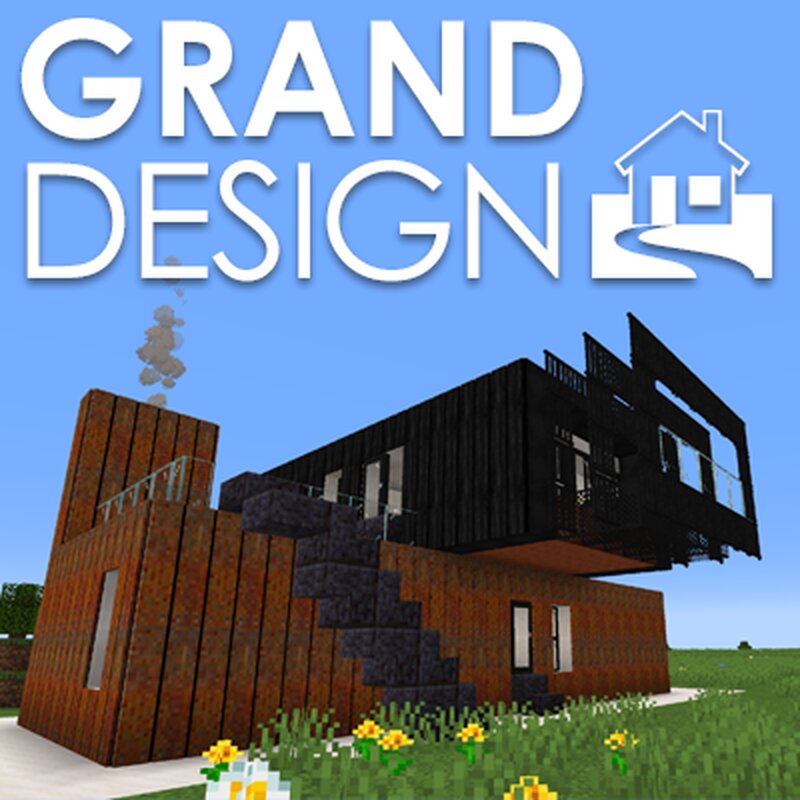
Grand Design is mod for use in Creative Mode for making modern architecture. Grand Design is a mod for Forge 1.20.1 It has many blocks and elements with architectural features including: WALLS Blockwork, Bricks, Cob, Concrete, Flint, Marble, OSB, Render, Stone, Stucco and Tiles. There are also Brutalist Blocks for Brutalist architectre and sculptures. There are also a selection of Half Blocks. Some blocks can be turned for different textures. FLOORING Concrete, Cork, Marble and Tile. Some floor blocks can be turned for different textures. CLADDING Cladding are thin sheets that can be applied to blocks for external textures and materials including: Copper, Corrugated Iron, Corten Steel, Japanese Shou Sugi Ban, many Wood types and Zinc. ROOFING Corrugated Iron, Shingle, Slate, Terracotta Tile, Thatch and Zinc. ASSD Fences, Flashing, Grasses and Sedum for roofs, Glulam, Gutters, Slabs, Spiral Staircase, Stilt Poles, Verandah Sheet, Stone Fireplaces and working Solar Panels for flat roofs and angled (stair) roofs. LIGHTING Ceiling lights, Wall Lights and a Light Switch. FENESTRATION Various Doors and Windows. CONTAINER Container elements including Container Doors, Roof, Walls and Windo
Added value
What’s included on this page
Preview, categories, compatibility, and tools on this page — not a bare file mirror.
- Creator
- pleebo
- Source
- Minecraft downloads library on Eaglercraft Studio
- Type
- Minecraft mod
- Price
- Free download on Eaglercraft Studio
- Curation
- Listed with credit to pleebo · studio preview & install guide
- Game Version
- Minecraft 1.20.1
- Compatible with
- Minecraft Java (match version / loader in facts)
- Tags
- Aesthetic
Install guide
How to install this free Minecraft mod
Eaglercraft Studio listing with metadata, creator credit, and loader-aware install guidance.
- 1Download the jar/zip when available.
- 2Install the matching loader (Forge, Fabric, or NeoForge) for your Minecraft version.
- 3Drop the mod into your mods folder, then launch with that profile.
Wrong loader or game version usually crashes on startup — read the facts on this page first.
Related free mods
More curated mods from the same library section.

Pastelmooncrafting15 · 67 diamonds · 20 views

PotatoWolfie · 60 diamonds · 2 views

PotatoWolfie · 53 diamonds · 622 views

Janss_33PL · 47 diamonds · 940 views