
GraveStone+ Secure your items after Death
Creator: shadowGem100k · 2026-02-03 · Mods · Free on Eaglercraft Studio
Download GraveStone+ Secure your items after Death — free Minecraft mod. Created by shadowGem100k. Tagged other. Check the file details for Forge, Fabric, or NeoForge before installing.
Creator notes
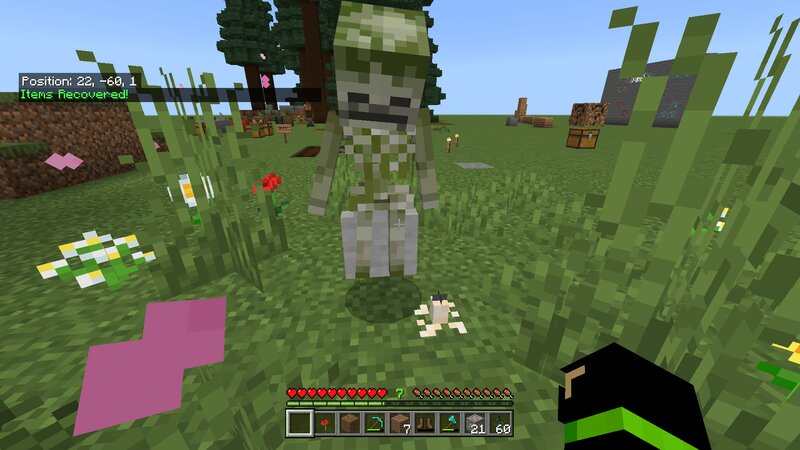
Gravestone Addon is a powerful survival focused Minecraft Bedrock addon that introduces a secure gravestone system on player death. Instead of losing items or relying on chaotic drops, all your inventory and equipped gear are safely stored inside a personal grave that can only be opened with a unique key. If you are looking for a Minecraft Bedrock gravestone addon, death chest mod, grave system, or keep inventory alternative that feels immersive and fair, this addon is built exactly for that purpose. 🧠 What This Gravestone Addon Does When a player takes fatal damage, a gravestone is spawned at the exact death location. All inventory items and equipped armor are transferred into the grave in a safe and controlled order. The player receives a unique Grave Key that is required to unlock and retrieve their items. No items are lost, duplicated, or scattered. 🔐 Secure Key Based System Each grave is locked with a unique ID. Only the matching Grave Key can open that specific grave. Keys display useful information such as the grave ID, owner name, and exact coordinates. Keys are kept on death to prevent permanent loss. 🪦 Smart Gravestone Behavior Graves are automatically named after the pla
Added value
What’s included on this page
Preview, categories, compatibility, and tools on this page — not a bare file mirror.
- Creator
- shadowGem100k
- Source
- Minecraft downloads library on Eaglercraft Studio
- Type
- Minecraft mod
- Price
- Free download on Eaglercraft Studio
- Curation
- Listed with credit to shadowGem100k · studio preview & install guide
- Game Version
- Minecraft 1.21.11
- Compatible with
- Minecraft Java (match version / loader in facts)
- Tags
- Other
Install guide
How to install this free Minecraft mod
Eaglercraft Studio listing with metadata, creator credit, and loader-aware install guidance.
- 1Download the jar/zip when available.
- 2Install the matching loader (Forge, Fabric, or NeoForge) for your Minecraft version.
- 3Drop the mod into your mods folder, then launch with that profile.
Wrong loader or game version usually crashes on startup — read the facts on this page first.
Related free mods
More curated mods from the same library section.

Pastelmooncrafting15 · 67 diamonds · 20 views

PotatoWolfie · 60 diamonds · 2 views

PotatoWolfie · 53 diamonds · 622 views

Janss_33PL · 47 diamonds · 940 views