
Icy World Mod For Minecraft Neoforge 26.1.2
Creator: Potato23979 · 2026-07-03 · Mods · Free on Eaglercraft Studio
Download Icy World Mod For Minecraft Neoforge 26.1.2 — free Minecraft mod. Created by Potato23979. Tagged dimension, fun, ghast, ice. Check the file details for Forge, Fabric, or NeoForge before installing.
Creator notes
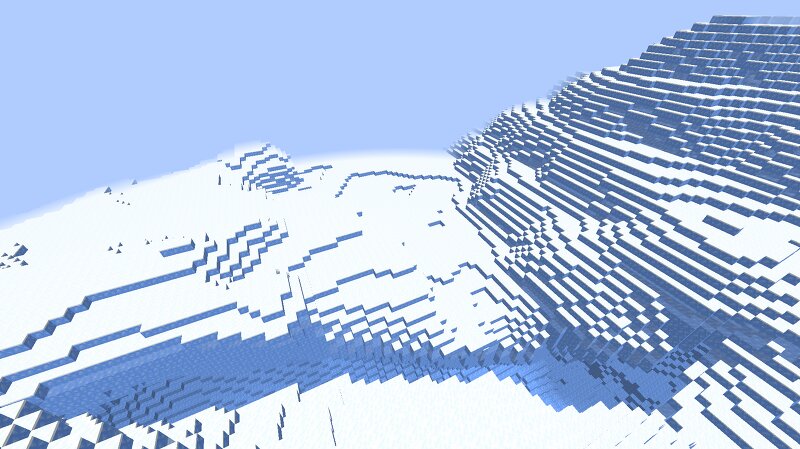
Icy World Mod For Minecraft Neoforge 26.1.2 New icy dimension added. The dimension is packed with lots of water and ice. Make sure you bring a pickaxe that can mine ice without breaking it because you will always spawn in the ground. There is a bug where lava will spawn underground but dont mind it. You can find little smiling blocks in the dimension. You can craft the smiling blocks into a ghast called "Fred" using a ghast tear and the smiling block. You can tame the ghast using another ghast tear. Then you can ride the ghast around. You can teleport in and out of the Icy dimension using little pearl items by right clicking while holding them in your main hand. Update 1.1! Added new Ruby ore that is in the icy dimension. You need to mine it with a stone pickaxe or better to obtain the Ruby ore. Added new Ruby tools. The Ruby hoe and Ruby shovel dont work and I dont know how to fix it :(. Update 1.2! Changed blocks in the icy dimension to be all blue and packed ice so water doesnt drown you while you are looking for the new Ruby ores and little Fred pets. Added new blue cod entity that spawns in water.
Added value
What’s included on this page
Preview, categories, compatibility, and tools on this page — not a bare file mirror.
- Creator
- Potato23979
- Source
- Minecraft downloads library on Eaglercraft Studio
- Type
- Minecraft mod
- Price
- Free download on Eaglercraft Studio
- Curation
- Listed with credit to Potato23979 · studio preview & install guide
- Game Version
- Minecraft 26.1.2
- Compatible with
- Minecraft Java (match version / loader in facts)
- Tags
- Dimension, Fun, Ghast, Ice, Mod, Other
Install guide
How to install this free Minecraft mod
Eaglercraft Studio listing with metadata, creator credit, and loader-aware install guidance.
- 1Download the jar/zip when available.
- 2Install the matching loader (Forge, Fabric, or NeoForge) for your Minecraft version.
- 3Drop the mod into your mods folder, then launch with that profile.
Wrong loader or game version usually crashes on startup — read the facts on this page first.
Related free mods
More curated mods from the same library section.

Pastelmooncrafting15 · 67 diamonds · 20 views

PotatoWolfie · 60 diamonds · 2 views

PotatoWolfie · 53 diamonds · 622 views

Janss_33PL · 47 diamonds · 940 views